Preventing & Solving Problems

best practices, debugging, independent learning

2026-01-06

Preventing & Solving Problems

A Preface

  • Debugging is programming.
    • It’s not extra; it’s essential.
  • Programming depends on collaboration.
    • Asking for help is not cheating!
  • Questions > Answers
    • Get the basics down, then get everything else you need when you need it.
  • Troubleshooting includes debugging, among other things.
    • These skills translate beyond fixing code.
    • Please stop telling me that “in programming it’s called debugging.”

The Myth of the “Programmer”

  • Programmers are geniuses who have a sacred knowledge.
  • The debugging coders do is a highly specialized skill.
  • If you’re debugging, you did something wrong.
  • Programming requires mastery of a programming language.
  • You can recognize an expert programmer by their abundant knowledge of the language.
    • or their wardrobe of unwashed hoodies meticulously curated to signal how much they don’t care about anything but code

The Reality of Getting Shit Done

  • Debugging is not extra – it’s the majority of the process.
  • Debugging is one application of more generalizable problem-solving skills.
  • Programming depends on collaboration.
  • Once you “master” the foundations, you learn the rest by just going for it.
  • You can recognize an expert programmer by their ability to find solutions.
    • They might also wear gross hoodies, but don’t we all from time to time?

Questions > Answers

Knowing how to ask the right questions to solve problems and learn independently is legitimately, indisputably more valuable than the party trick of recalling lots of functions and language-specific processes.

Best Practices

The best way to troubleshoot is to avoid it.

Keep Your Code:

Standardized

  • style guides
  • internal consistency

Intelligible

  • informative comments
  • meaningful naming
  • documentation

Maintainable

  • sustainable over time
  • transportable

Contextualized

  • appropriate for your community
  • functional for your project

Standardized Code: Style

Standardized Intelligible Maintainable Contextualized

Standardized code is easier to read, understand, and maintain

R is pretty forgiving

  • Whitespace insensitive
  • Few “forbidden” characters

Choose to be cautious

  • Avoid special characters
  • Prioritize readability over conciseness

Intelligible Code: Commenting

Standardized Intelligible Maintainable Contextualized

  1. Comments should not duplicate code
  2. Good comments do not excuse unclear code
  3. If you can’t write a clear comment, there may be a problem with the code
  4. Comments should dispel confusion, not cause it
  5. Explain unidiomatic code in comments
  6. Provide links to the original source of copied code
  7. Include links to external references where helpful
  8. Add comments when fixing bugs
  9. Use comments to mark incomplete implementations

Intelligible Code: Commenting

Standardized Intelligible Maintainable Contextualized

Keep Collaboration in Mind

Be kind not just to others who may work with you, but also to future-you.

Natural languages > programming languages

The language you speak is infinitely more intuitive, nuanced, specific, and adaptable. Take advantage of it.

Intelligible Code: Meaningful Naming

Standardized Intelligible Maintainable Contextualized

Names should describe the named thing.

“There are only two hard things in Computer Science: cache invalidation and naming things.”

— Phil Karlton
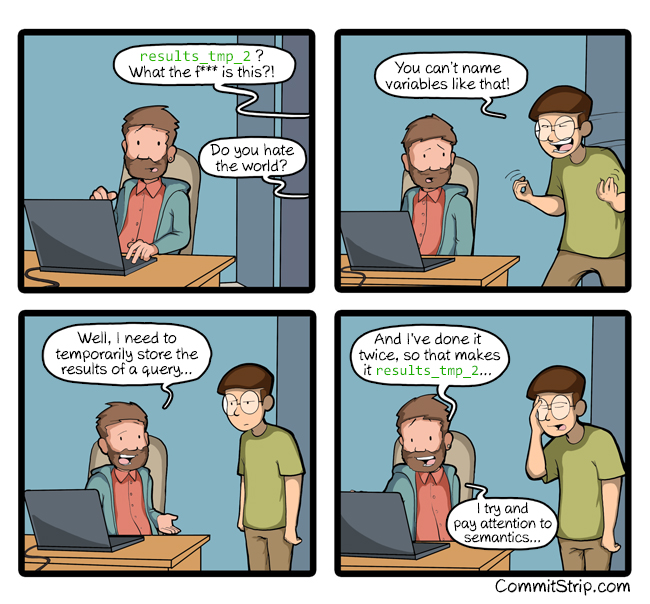
  • Avoid disinformation
  • Use pronounceable names
  • Use searchable names
  • Pick one word/format per concept
  • Avoid encodings

Keep it simple, stupid – commitstrip.com

Maintainable Code: Function Lifecycles

Standardized Intelligible Maintainable Contextualized

Stage Description
Experimental
  • In development (beta), may never reach stable
  • Can be helpful for specific use-cases
  • Use with caution & comments
Stable
  • Default stage
  • Functional, current, maintained
  • Prioritize these!
Superseded
  • Still supported, safe to use
  • Better (stable) alternative exists
  • Will not be updated, but will not go away
Deprecated
  • Works now but not for long
  • Use only as a temporary last resort
  • Look for recommended replacements

Maintainable Code: Data Lifecycles

Standardized Intelligible Maintainable Contextualized

⇄ How much could your data change?

  • Incomplete datasets will get more data
  • “Complete” datasets may eliminate some data
  • Variables may need to be combined, anonymized, mutated, etc.

⇆ How similar are your data to other data?

  • Will you (or anyone else) conduct a follow-up or replication?
  • Do you already know there were problems in data collection that will mean new data format when fixed next time?
  • Do other researchers in your area use similar data collection methods but different organization methods?

Maintainable Code: DRY Programming

Standardized Intelligible Maintainable Contextualized

Don’t Repeat Yourself

Avoid

  • Propagating errors
  • Duplication conflicts
  • Verbosity hiding small errors

Promote

  • Replicable, reproducible code
  • Abstracted code for multiple contexts
  • Code usable by others and future-you

Caveat: Non-evil Copy/Paste

Standardized Intelligible Maintainable Contextualized

When should you copy and paste?

  • Forking: purposefully creating variants for exploration
  • Templates: starting points for new projects
  • Debugging: temporary workarounds to identify specific problems
  • “Clone and own”: adapt foundational code to new contexts

Maintainable Code: Abstraction

Standardized Intelligible Maintainable Contextualized

Absolute vs. Relative Paths

## Only works on my computer no matter what
absolute_path <- "Users/Natalie/repos/d2mr/example-repo/images/barplot.jpg"

# Works on your machine if you clone it to this location on your computer
mixed_path <- "~/repos/d2mr/example-repo/images/barplot.jpg"

# Works when you clone the repo anywhere
relative_path <- "/images/barplot.jpg"

Maintainable Code: Abstraction

Standardized Intelligible Maintainable Contextualized

Hard-coded vs. Dynamic Variables

# Always equals 3
my_mean <- (2 + 4)/2

# Output will change to reflect changes to 2 input variables
x <- 2; y <- 4 # or...
x <- 3; y <- 10
the_mean <- (x + y)/2

# Output will change no matter how many input numerals are averaged
number_list <- c(2,3) # or...
number_list <- 2:8 # or...
number_list <- c(1,2,8,100)
a_mean <- sum(number_list)/length(number_list)

Contextualized Code: Community Standards

Standardized Intelligible Maintainable Contextualized

Know your community and follow its conventions.

  • R Conventions (for everyone)
  • R Developer Community Culture
  • Find your communities and respect their rules.
    • Gatekeep-y? Admittedly, yes, but that’s not the goal
    • Facilitate communication, collaboration, and shared ownership

Contextualized Code: Priorities

Standardized Intelligible Maintainable Contextualized

The best code is the code that works.

Best practices may not be practical in practice.

Your project’s goals come first.

Contextualized Code: Garbage in garbage out

Standardized Intelligible Maintainable Contextualized

  • The quality of output of any system is determined by the quality of the input.
  • Immaculate code can’t make up for horrendous data.
  • Neither code nor data can fix terrible human decisions.

Contextualized Code: Take out your trash

Standardized Intelligible Maintainable Contextualized

The quality of output of any system is determined by the quality of the input.

Immaculate code can’t make up for horrendous data.

Neither code nor data can fix terrible human decisions.

Your data are bad because they are:

  • Incorrect.
  • Incorrectly obtained or recorded.
  • Too different from other data.
  • Too similar to other data.
  • Missing.
  • Not applicable to the your situation.

Your decisions are bad because you have:

  • Misunderstood causality.
  • Incomplete, missing, or inaccurate documentation.
  • Incorrect hypotheses.
  • Inadequate research design.
  • Miscommunication.
  • Erroneous judgments and reliance on human intuition.

Specific Best Practices

Git(Hub) cardinal rules

Your workflow:

Commit little & commit lots
  1. Pull before you start editing
  2. Commit often as your work
  3. Push when you close your session

Thou shalt:

  • Use frequent, informative commit messages
  • Use a .gitignore to specify files and filetypes to keep local
  • Maintain a README.md file documenting your repo’s structure and purpose
  • Be intentional managing public and protected files

Remember the whole point of GitHub is version control!

Each assignment has a unique repo. Each repo is a unique files.

Never create multiple copies of the same files!!!

Quarto & R Notebooks

Use comments liberally…

  • in the “narrative” of the manuscript using html comment notation:
    <!-- This is a comment that readr and quarto will ignore -->
  • in R code chunks just like in R scripts:
    # This will be ignored by R when it runs the chunks while knitting

Chunks should…

  • do 1 and only 1 thing
  • have informative & unique names
  • specify how to run and display when knit
  • be placed where used
  • be short

Do not use the visual editor!!

Chunk Names

Name your chunks to minimize human error. They should be:

  • Unique
  • Informative
    • fig-gesture-stacked-bar not gesture-graph
  • Conventional (conservative + correct)
    • Avoid: special characters, spaces, underscores
    • Prefer: letters, hyphens, numerals

1 Chunk 1 Thing

Unique and informative chunk names depend on each chunk doing 1 and only 1 thing. Can you explain what the point of the chunk is in 1-3 words? If not, you’ve probably got 1 chunk doing too many things.

Debugging/Troubleshooting

Documentation

Step 1 for any problem: Look it up.

Demo: ?help

  1. Open up a FRESH instance of R (no libraries loaded) and try out the 5 functions in the console one by one.
  2. Load the tidyverse packages with library(tidyverse) and run each again. What differences do you notice?
?paste
?paste0
?filter
?read_csv
??read_csv

Function Documentation: inner_join()

Looking up documentation for any of the *_join() functions in dplyr brings you to a shared page for all of them.

Function name: here inner_join()

Required arguments: here x and y; listed first; no assigned default value; omitting results in an error message

Optional arguments: here by = NULL, copy = FALSE, suffix = c(".x", ".y"), keep = NULL; listed after required arguments; omitting will use the assigned default value

Other parameters: always ...; accepts extra arguments not explicitly listed

Related reference: here left_join() ; functions that share a basic structure and may have helpful documentation

Mutating joins

Description

Mutating joins add columns from y to x, matching observations based on the keys. There are four mutating joins: the inner join, and the three outer joins.

Inner join An inner_join() only keeps observations from x that have a matching key in y.

…text omitted…

Usage

inner_join(
  x,
  y,
  by = NULL,
  copy = FALSE,
  suffix = c(".x", ".y"),
  ...,
  keep = NULL
)

left_join(
  x,
  y,
  by = NULL,
  copy = FALSE,
  suffix = c(".x", ".y"),
  ...,
  keep = NULL
)

Package Documentation: ggplot2

  • Comprehensive R Archive Network
  • meta-info about the package, developer, license, etc.
  • links to READMEs, manuals, repos, and other function-level documentation
  • packages on CRAN typically include a pdf manual in a uniform format
  • function-level, granular info
  • vignettes
  • popular & complex packages
  • tutorials, examples, FAQs, cheatsheets, etc.
  • access the scripts that define the functions within the package
  • README usually includes general documentation and links to granular documentation
  • links to direct/binary install if not accessible through CRAN

Resources

Solving your own problems

No one will help you until you at least try.

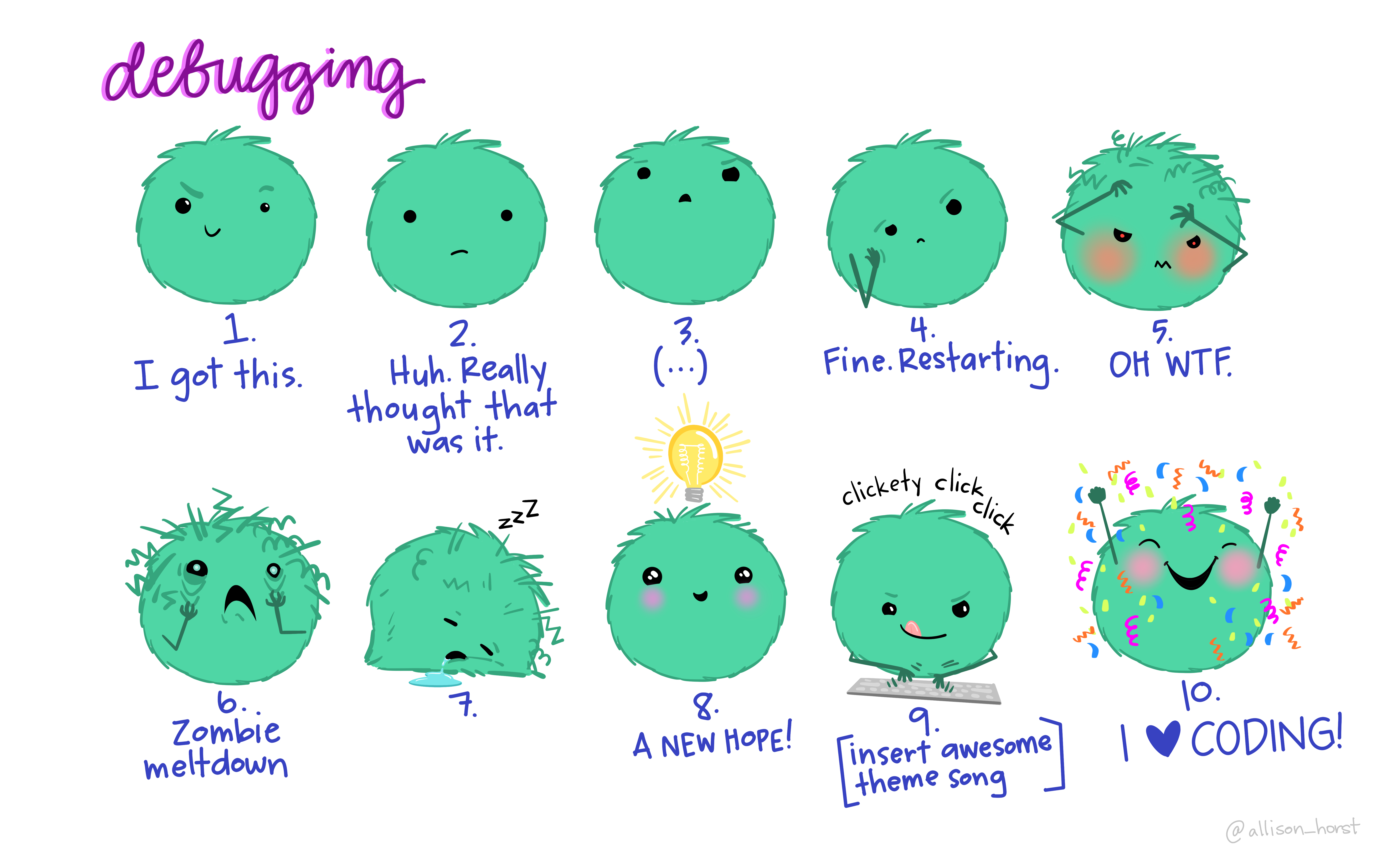
Artwork by @allison_horst

Error messages

Errors starting with these phrases are super common and have predictable causes:

  • could not find function: the function’s package is not loaded (or more commonly, typos)
  • Error in if: non-logical data or missing values passed to R’s if conditional statement
  • Error in eval: references to objects that don’t exist
  • cannot open: attempts to read a file that doesn’t exist or can’t be accessed
  • no applicable method: using an object-oriented function on a data type it doesn’t support
  • subscript out of bounds: trying to access an element or dimension that doesn’t exist
  • package errors: R cannot install or load a package due to missing dependencies or conflicts

But my error message isn’t common!

My error is common but the solution isn’t working!

I have literally no idea what this error message means!

GOOGLE IT.

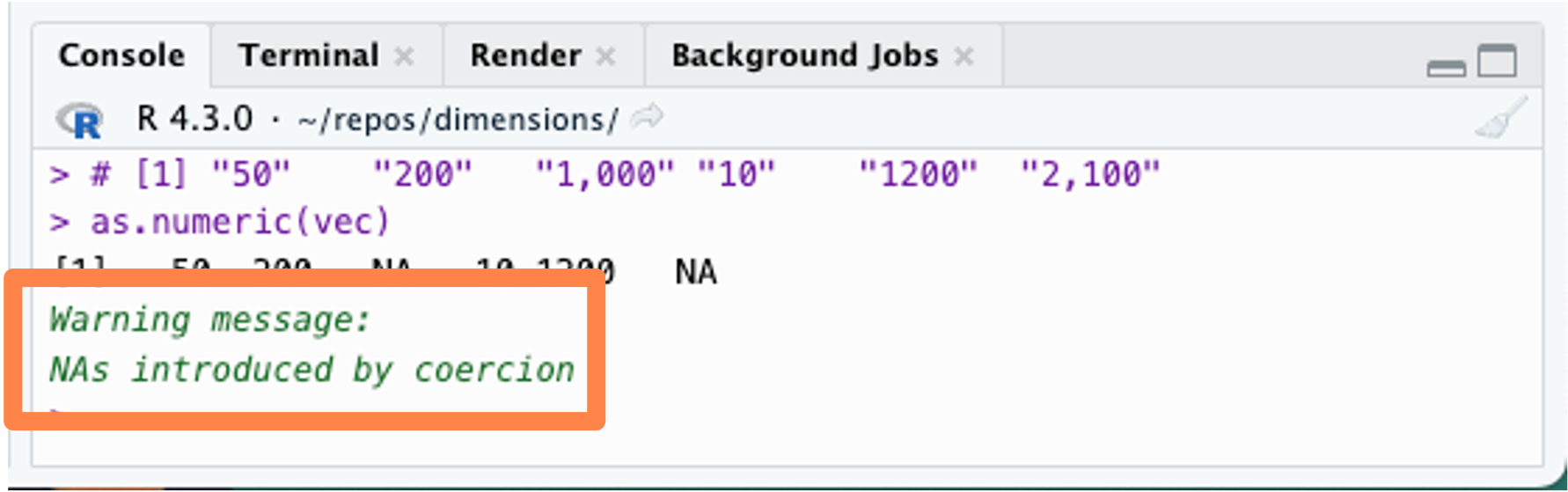
Errors, Warnings, Messages

Errors must be addressed

R says: “Something has gone wrong. I cannot and will not move forward.”

Warnings should usually be addressed

R says: “This doesn’t look right but I’m just a robot what do I know.”

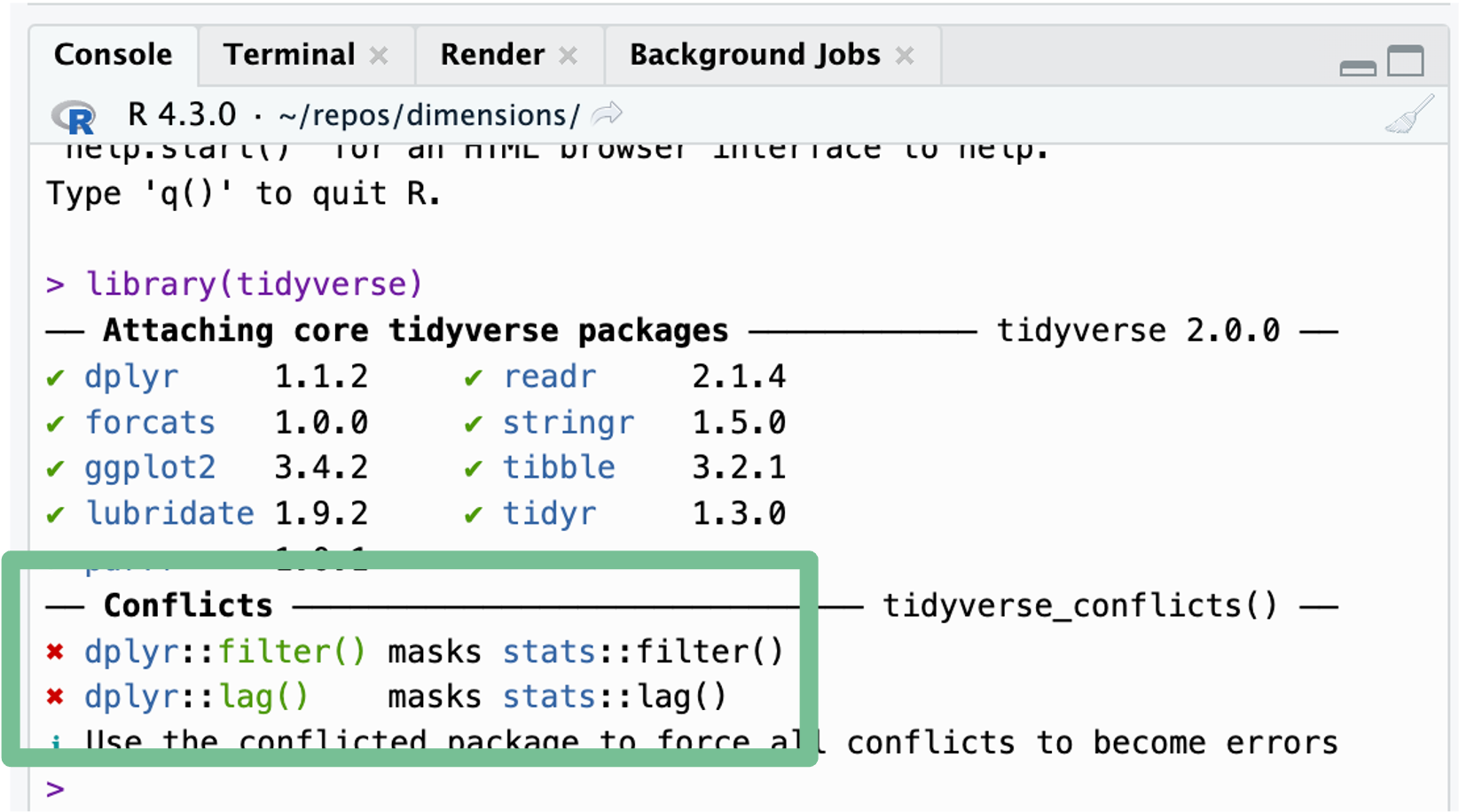
Messages are informational only

R says: “No problem, done! But just FYI…”

Not all alarming words and big red Xs are problems.

Line-by-Line Debugging

There is a problem, but where is the problem?

  • Break down code into smaller pieces and run them one line at a time.
  • Debug outside a code “container” by hardcoding values
    • loops, functions, pipelines
  • Use RStudio’s debugging tools

RStudio Debugging Shortcut

  • Run current line or selected code: Cmd + Return
  • Run current chunk: Cmd + Option + C
  • Run all: Shift + Cmd + Return

Windows: Cmd=Ctrl, Option=Alt, Return=Enter

Rubber duck debugging

Step 1:

Beg, borrow, steal, buy, fabricate or otherwise obtain a rubber duck* (bathtub variety).

Step 2:

Place rubber duck on desk and inform it you are just going to go over some code with it, if that’s all right.

Step 3:

Explain to the duck what your code is supposed to do, consider that the duck may need some specifics, and then go into detail and explain your code line by line.

Step 4:

At some point you will tell the duck what you are doing next and then realize that is not in fact what you are actually doing.

Step 5:

Enjoy as the duck sit there serenely, happy in the knowledge that it has helped you on your way.

In a pinch a colleague or trusted human might be able to substitute for the duck, however, it is often preferred to confide mistakes to the duck instead of the human.

Asking for help

Start Strong

  • Get what you can from error messages.
  • Identify the problem points as precisely as possible.
  • Do your best to figure it out yourself.

I think the problem, to be quite honest with you, is that you’ve never actually known what the question is.

Douglas Adams
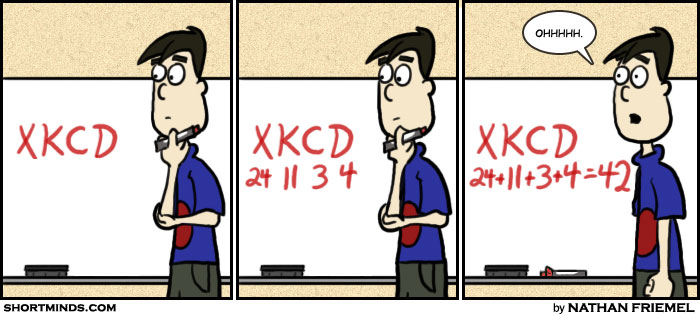
How to Ask Good Questions

How do I ask a good question?

How to Ask Questions the Smart Way

  • Prepare sufficiently
  • Choose the appropriate forum
  • Be clear and specific
  • Describe the goal, not the step

How do I get someone to answer?

How do I ask a good question?

  • Be on-topic
  • Use an informative title
  • Provide reproducible code and an explanation of the code and its intention

Minimally Reproducible Examples

  • Minimal: only the code necessary to reproduce the problem
  • Reproducible: includes any data or package dependencies
  • Example: illustrates the problem clearly

MRE Ingredients

StackOverflow

  1. The minimal and sufficient dataset used (usually not your actual data! better to use built-in data like iris or cars; run data() for more).
  2. Minimal and sufficient runnable code
  3. Necessary session and OS info, including loaded libraries and seed if used.

Ask the Internet

Ask Humans

  • In-class workshops and lectures
    • You have to actually ask a question to get an answer!
  • D2M-R Slack
  • Study groups
  • Office hours

Ask AI

  • Use GitHub Copilot in RStudio
  • Yes, you can and should use AI. Just be smart about it.
  • AI is your overconfident and entirely uninvested collaborator.
  • As a beginner programmer:
    • DO use AI as a debugging resource
    • DO use AI to explain code
    • DON’T use AI to generate code you can’t write yourself
    • DON’T give it the same confidence it gives itself

Starting from “Nothing”

How do I get started with really complex packages, like ggplot2, stats, and psych?

How do I find an existing function or package that I need when I don’t even know whether such a thing exists?

You keep throwing around words like I’m supposed to know it already, and then you say if I don’t know it, I should do some other thing I don’t know. Not fair.

Know the outcome you want and work backwards. You don’t need to fully understand everything. What do you need to know? What are the questions to ask to get those answers? Where can you turn with those particular questions?

YOUR D2M-R TROUBLESHOOTING PATH

Read relevant documentation.

Identify any error messages or warnings and attempt to resolve them. ️

Confirm that your data and code are playing together.

Review your code at a granular level (line-by-line, rubber ducking).

Identify as specific issues and generate specific questions.

Use community resources (e.g., Slack, StackOverflow, Reddit) to find answers.

Email your TA. ️

Email your professor. ️