[1] "integer"
Factor w/ 3 levels "high","low","medium": 2 3 1 3 2
factors, levels, categorical data w/ base & forcats
2026-02-10
Categorical variables
Examples
Category Types
Also known as
Factors
Strings
Compare object size of factor vs character vector with repeated values
Core base R factor functions:
factor(): Create factorlevels(): View/set levelsnlevels(): Count levelsas.character(): Convert to stringas.numeric(): Get underlying integersforcats package: simplify working with factors![]()

forcats:
Simplify working with factors
fct_* naming
Create
Create factors
Inspect
Examine levels
Combine
Combine and standardize levels
Reorder
Change level order
Reassign
Rename and redistribute levels
Add/Drop
Add or remove levels
factor()
forcats: Create factors with as_factor()
f <- factor(x, levels = c(...))
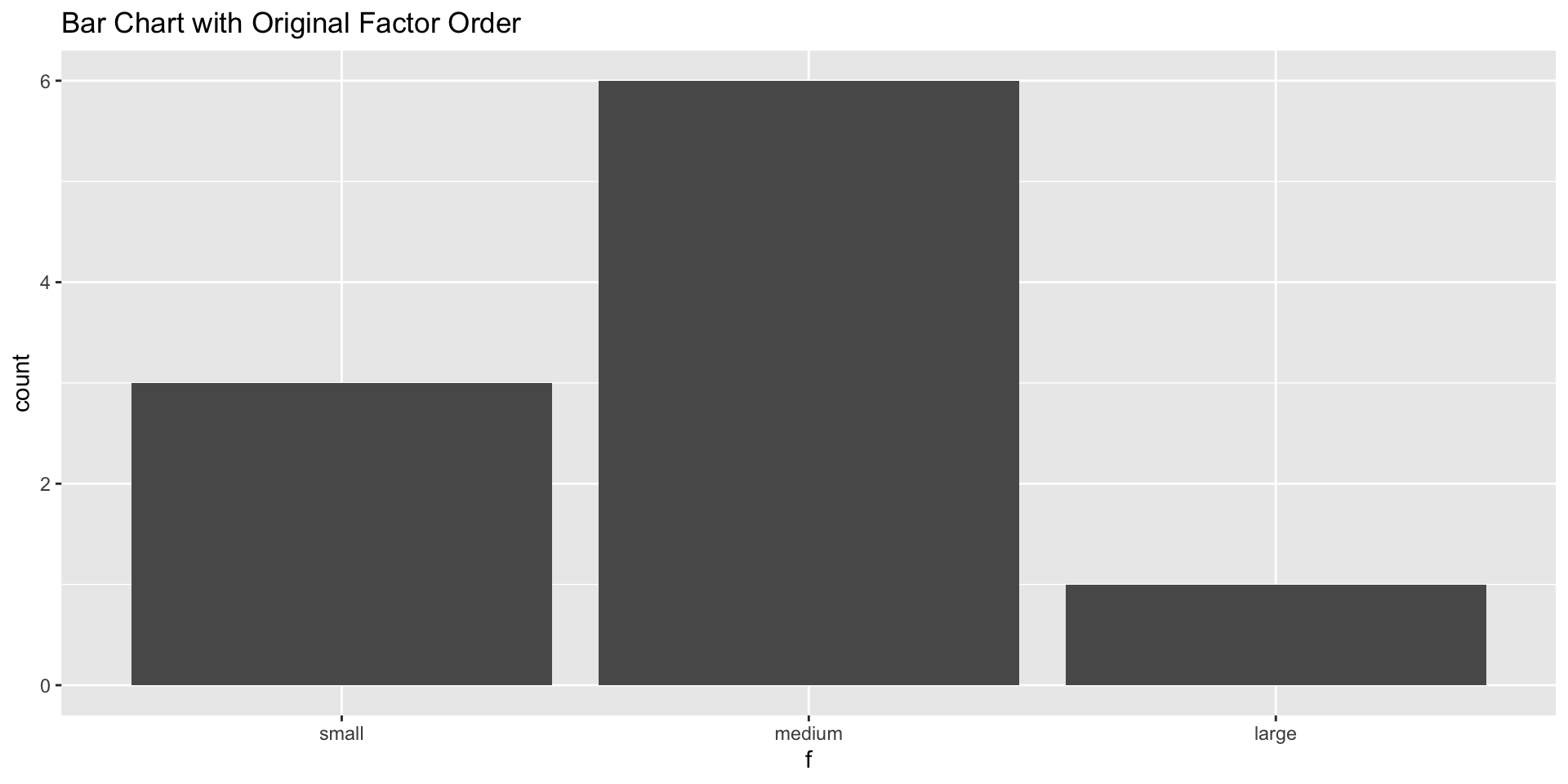
levels argument: Set specific levels and orderlevels vector must match unique values in xx will be created but have no observationsx without corresponding levels will become NAas_factor() necessarily preserves order of appearancefactor(x, levels = c(...), labels = c(...))
For ordinal data with meaningful order
Didn’t we just define and redefine order?
Kind of. Regular factors have levels with no inherent order (nominal data), where the “order” is simply how R stores and displays them. Ordered factors explicitly encode an order among the levels (ordinal data).
factor(..., ordered = TRUE):
Encode order with argument
[1] medium small large small medium
Levels: small < medium < large
[1] "small" "medium" "large"
[1] 2 1 3 1 2
ordered(...):
Create ordered factor directly
[1] medium small large small medium
Levels: small medium large
[1] medium small large small medium
Levels: small < medium < large
levels(): View level labelsnlevels(): Count levelsfct_c(): Combine factors
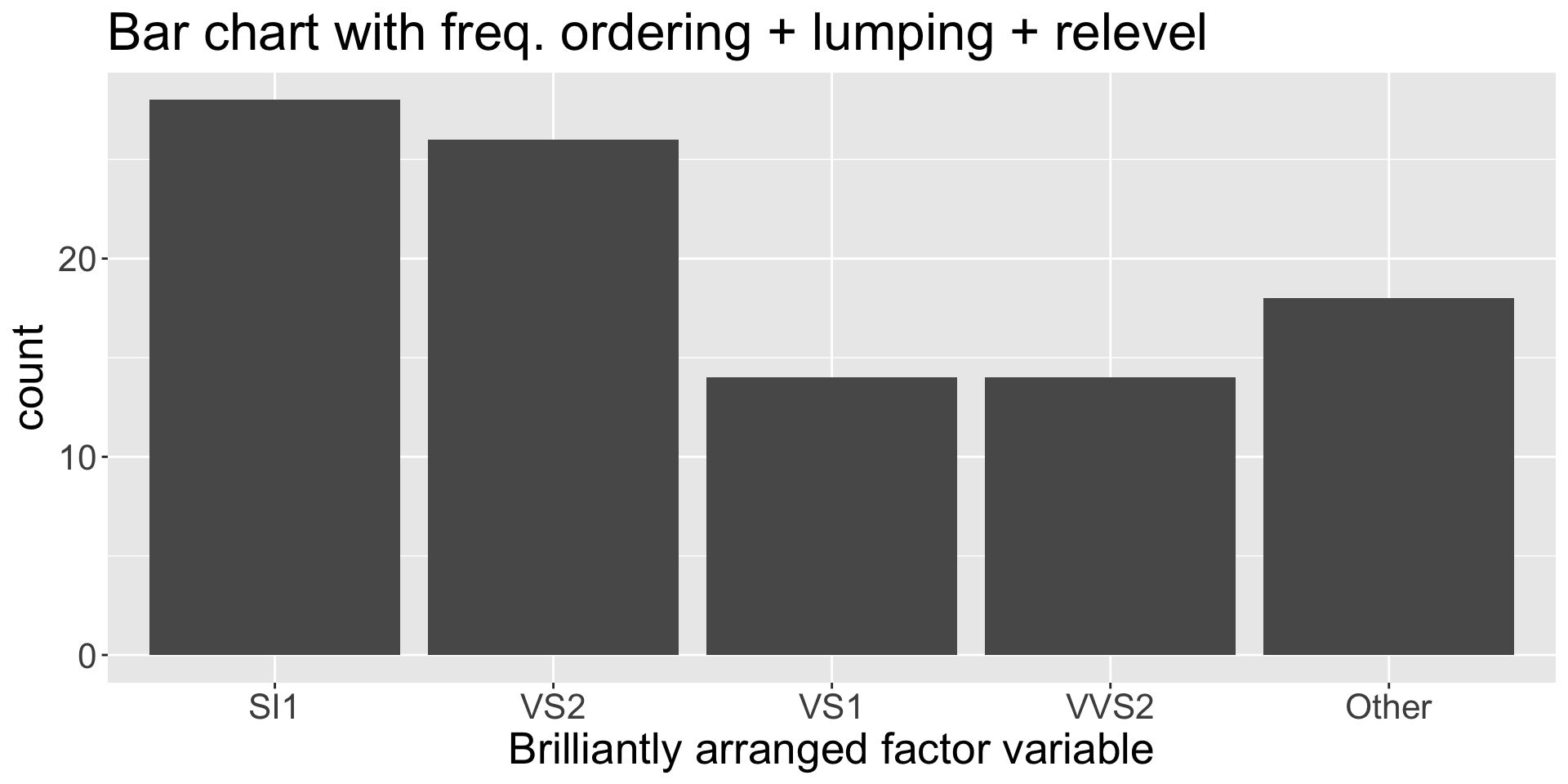
fct_relevel(): Move levels to specific positions
[1] medium low high medium low
Levels: high low medium
Move specific level to front
Move one level relative to another
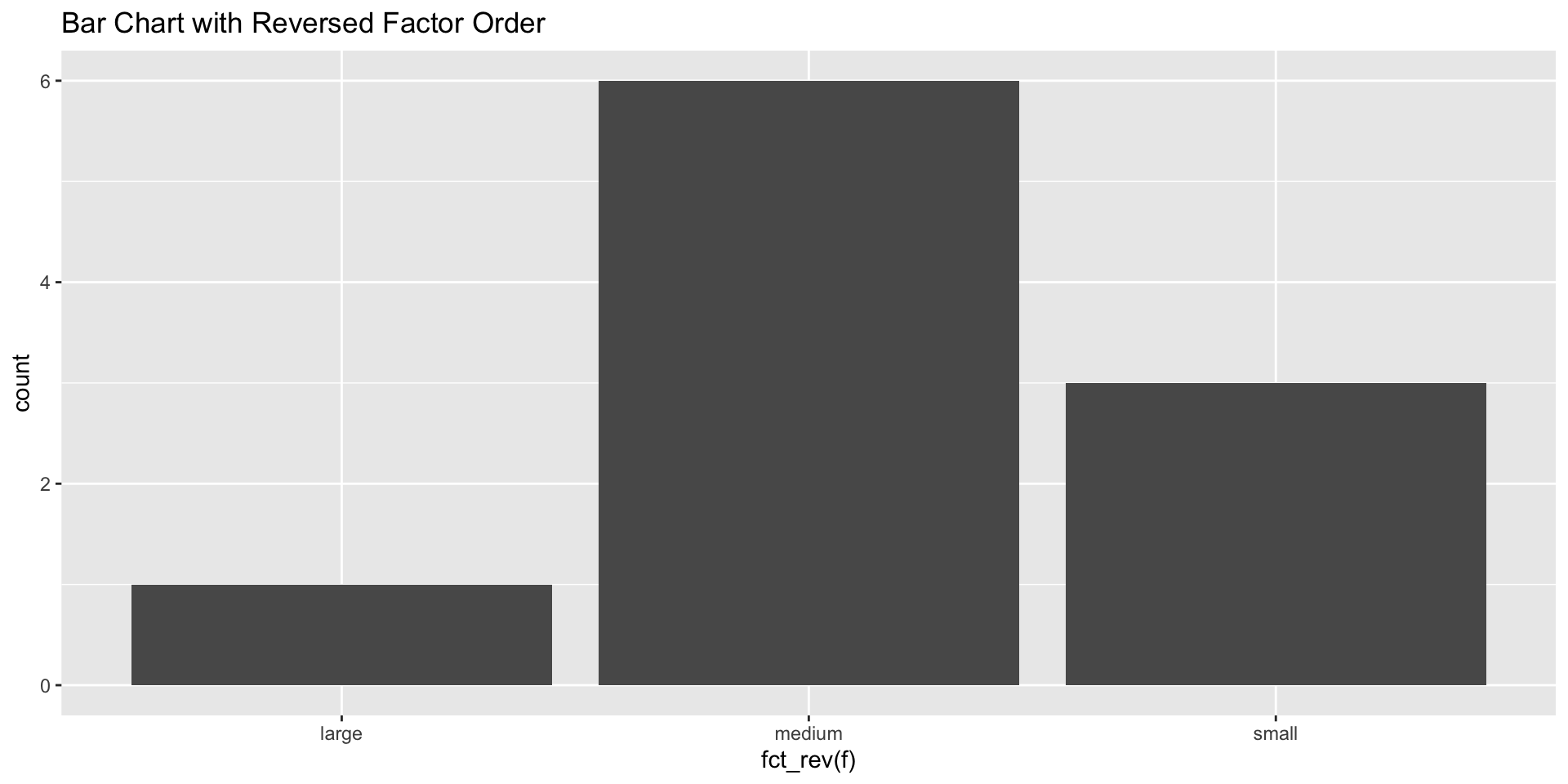
fct_rev(): Reverse current level order
fct_rev use case: flip bar chartUse case: Flip bar chart from top-to-bottom to bottom-to-top
fct_inorder(): Order by first appearance
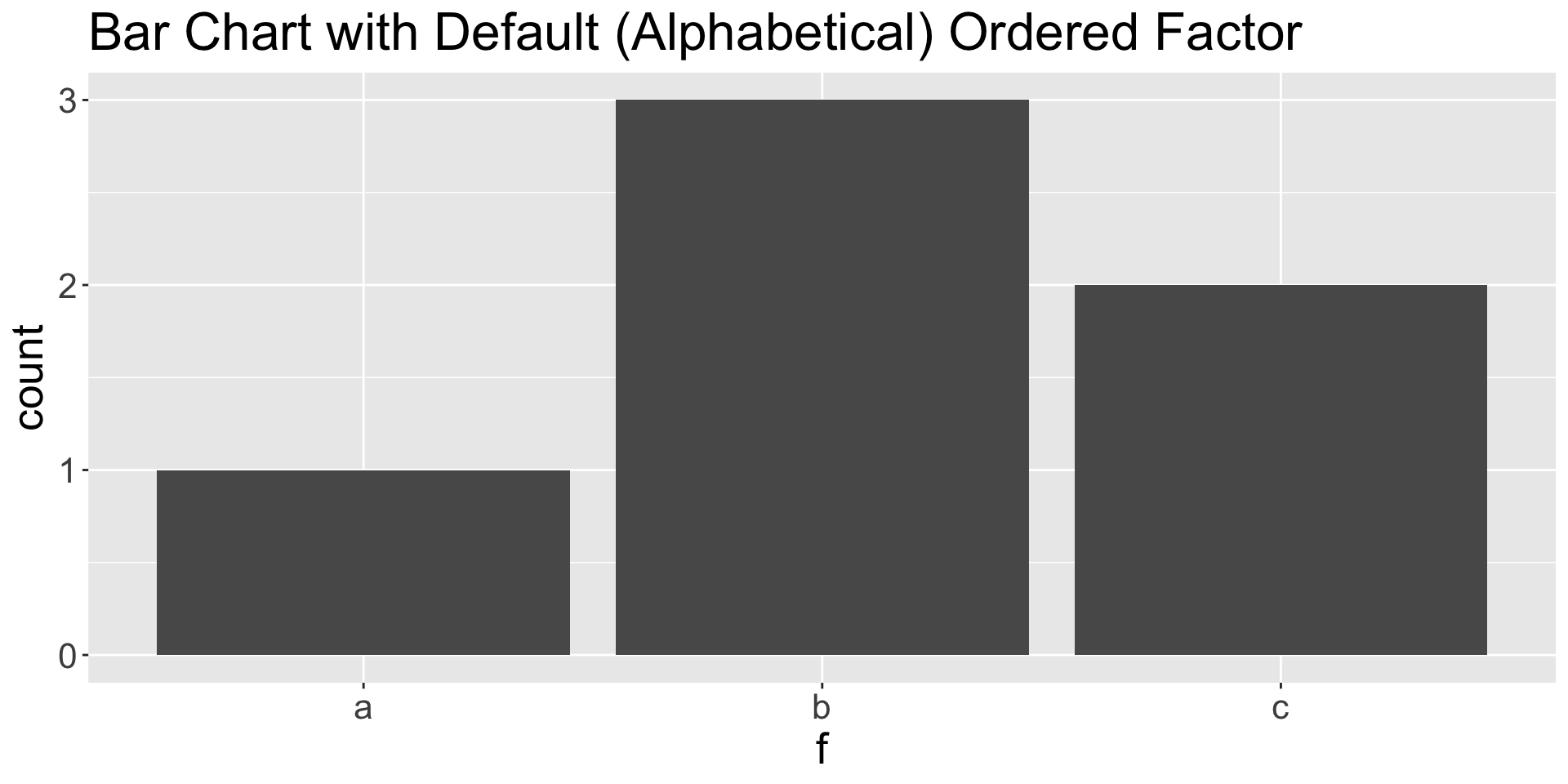
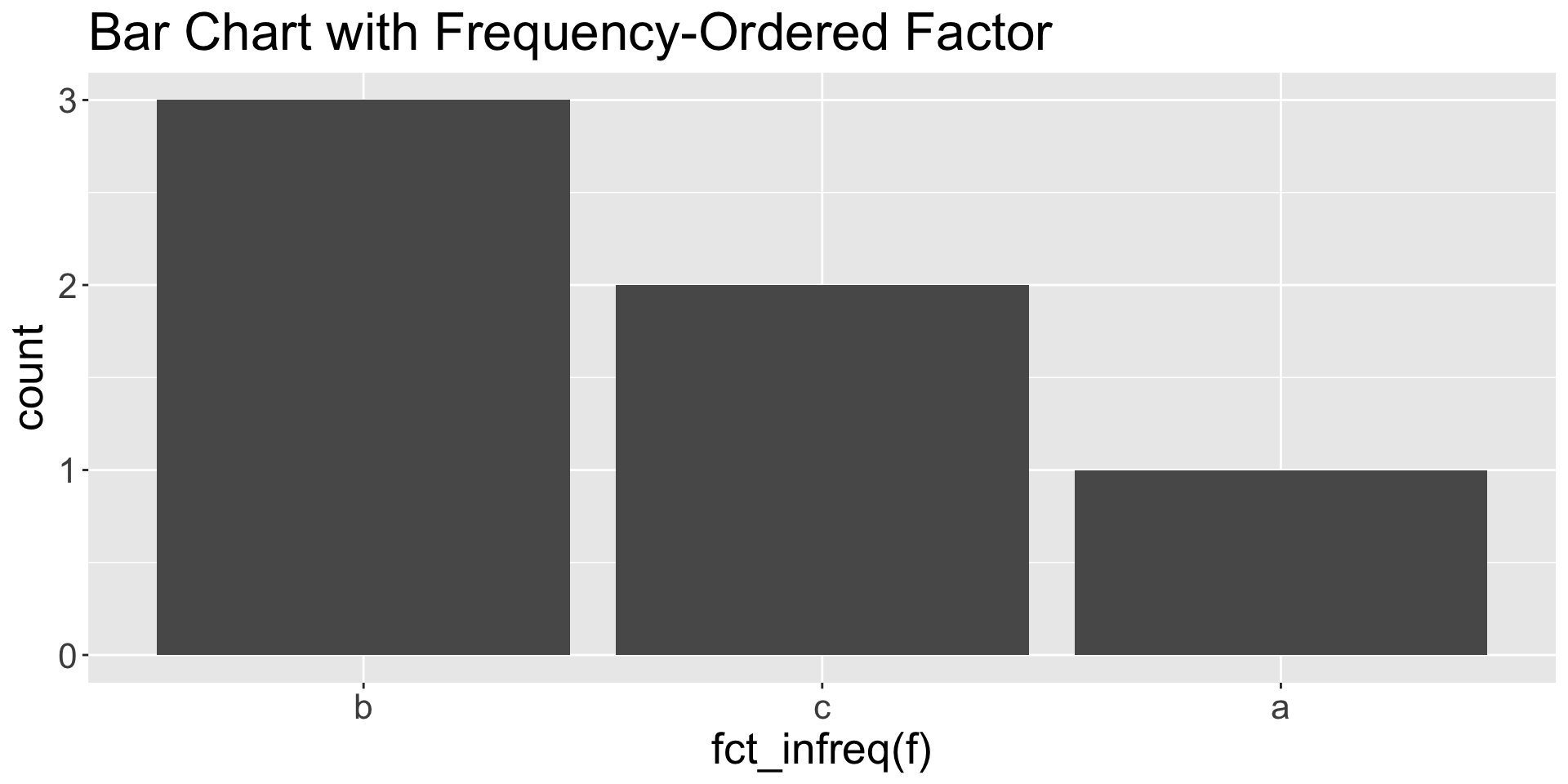
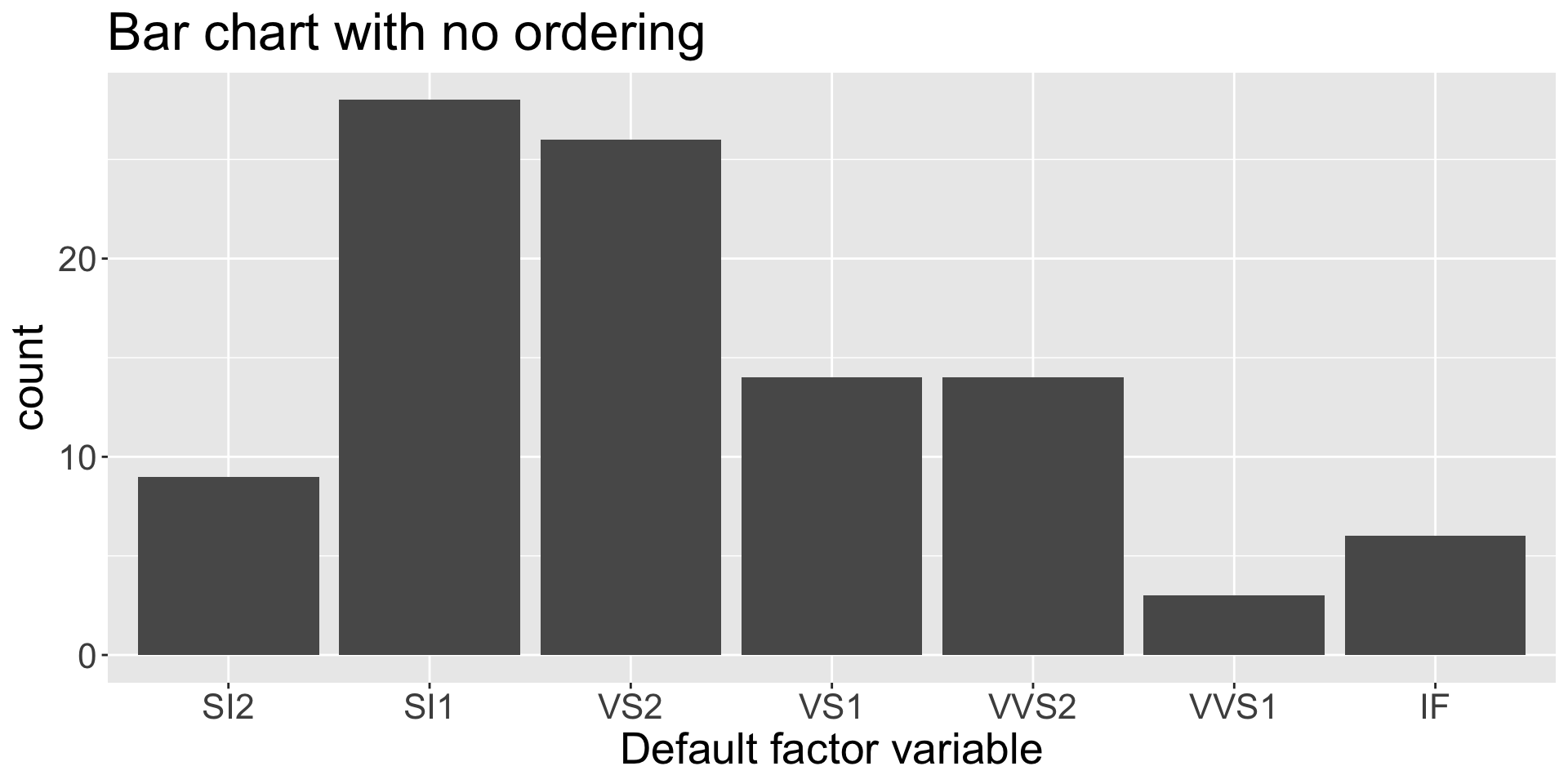
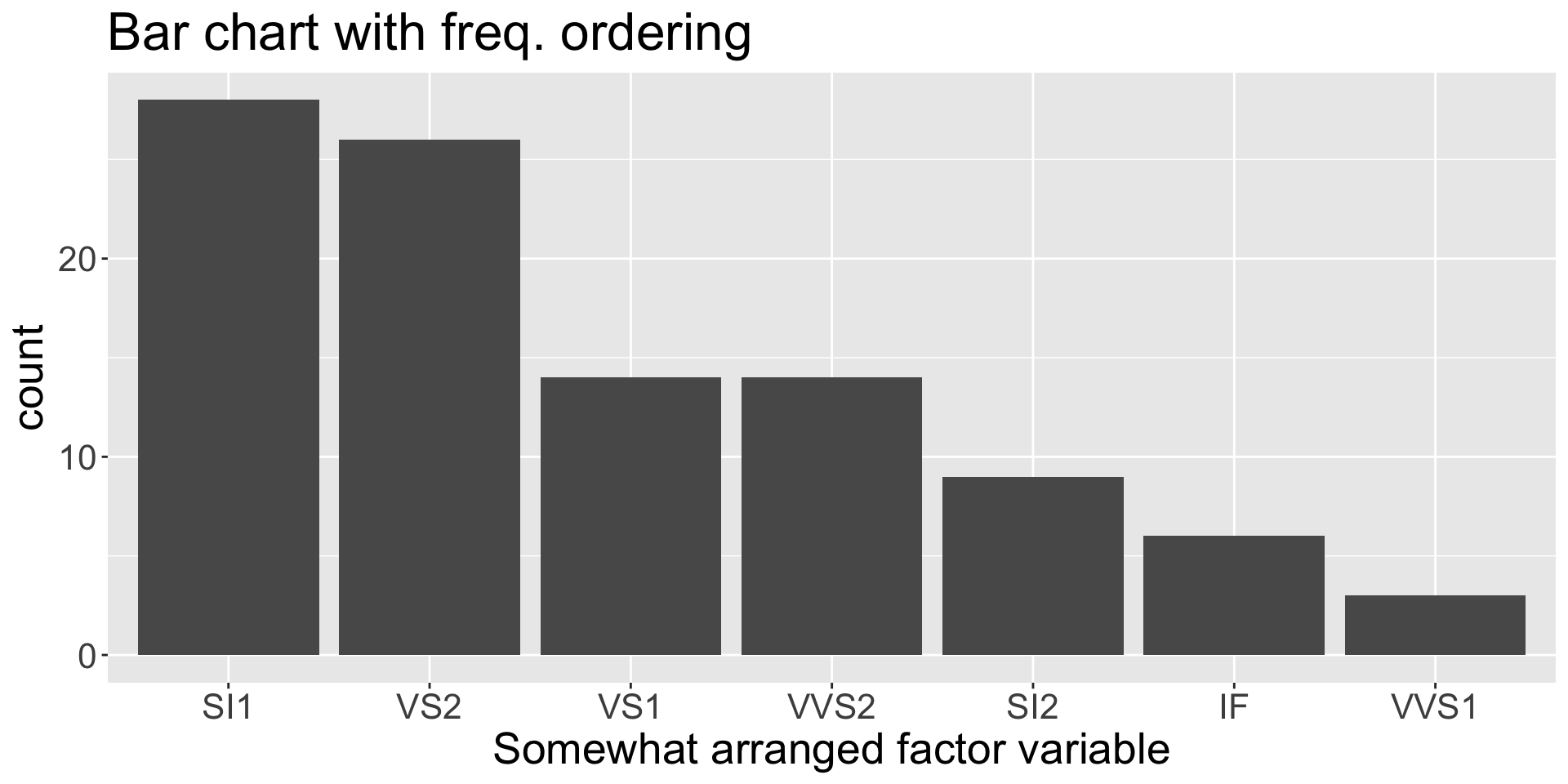
fct_infreq(): Reorder from most to least common
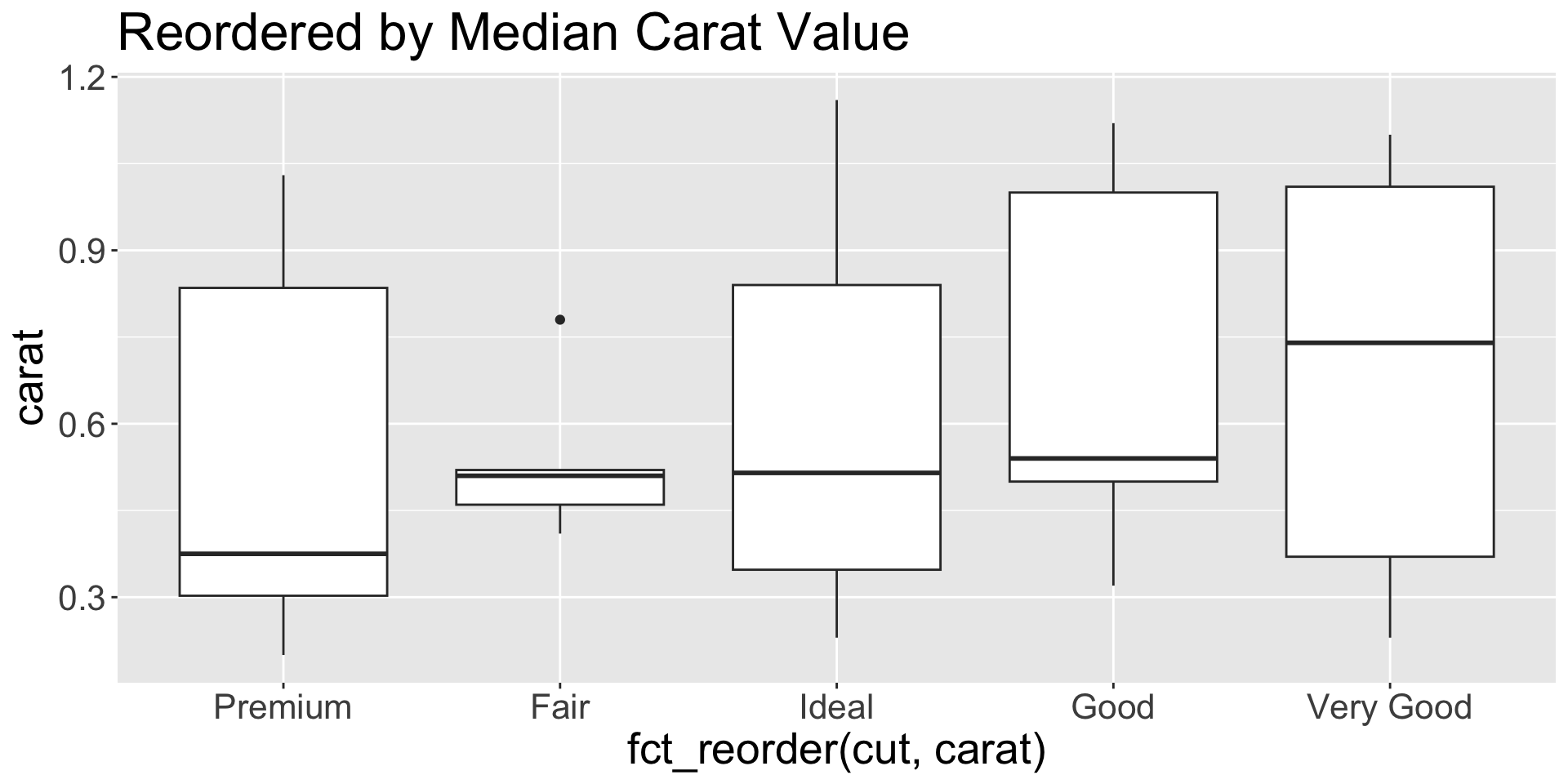
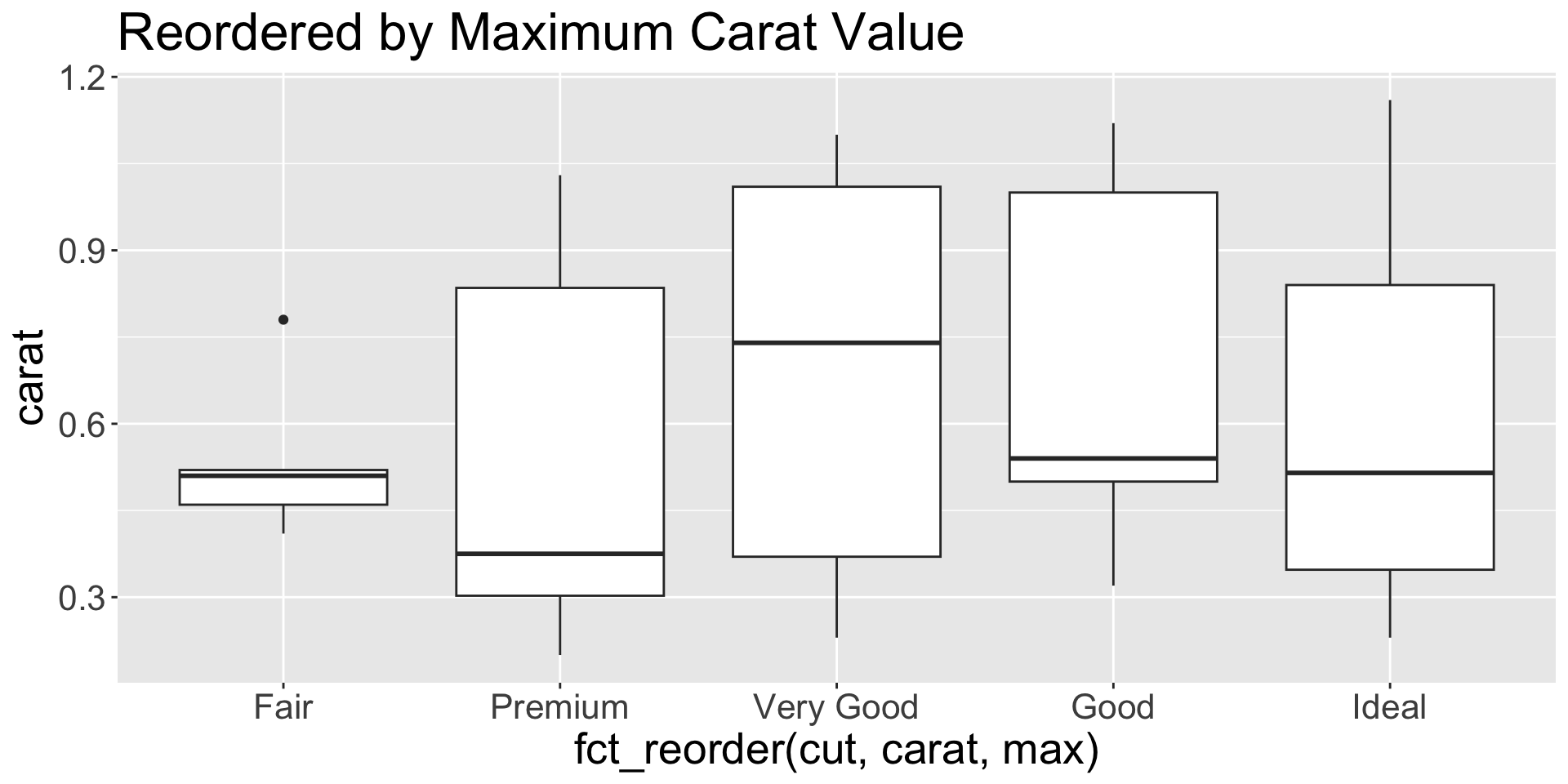
fct_infreq use case: interpretable bar chartsfct_reorder(f, x, fun): Order factor by summary of another variable
Default: sort by level median
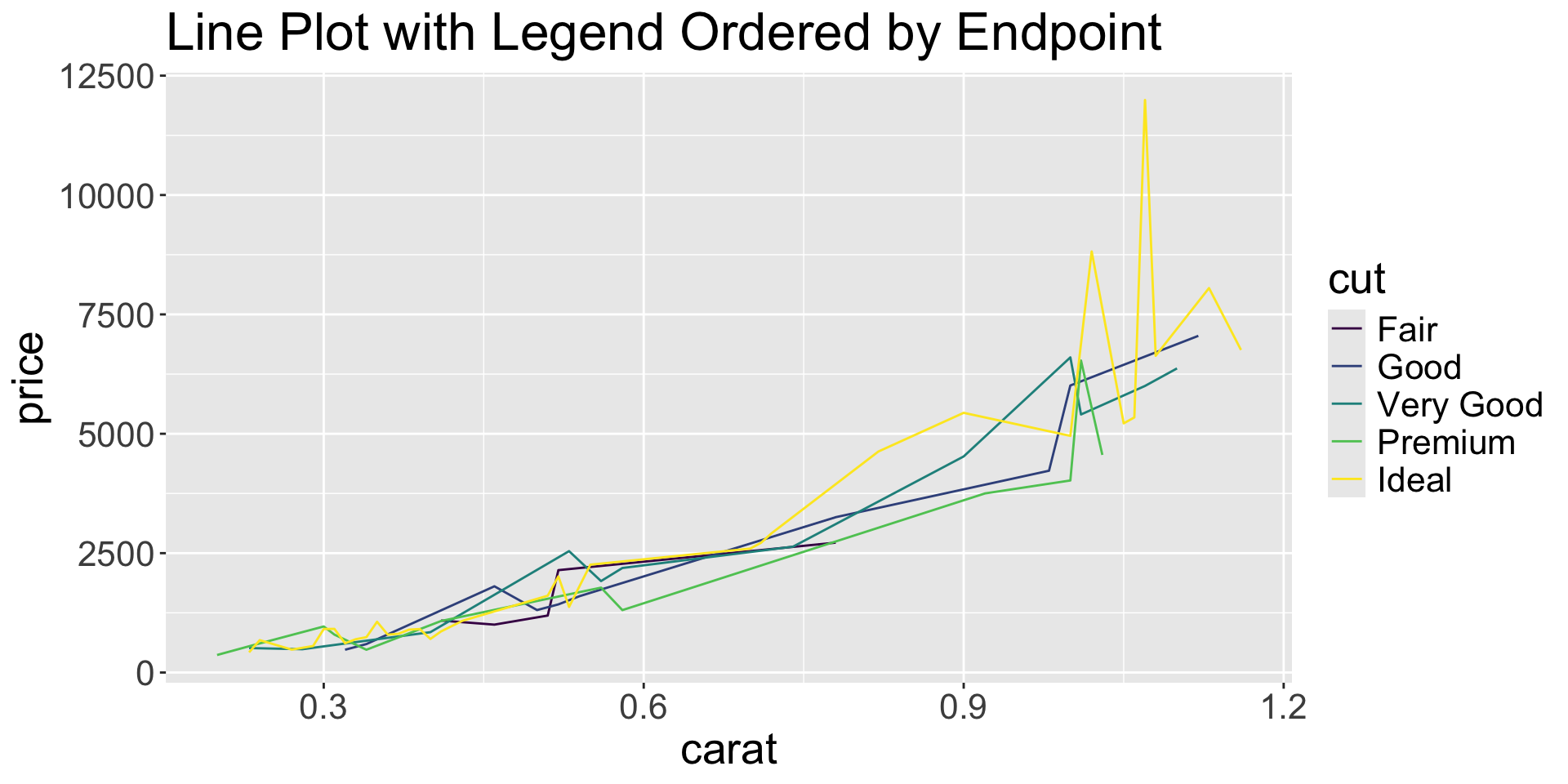
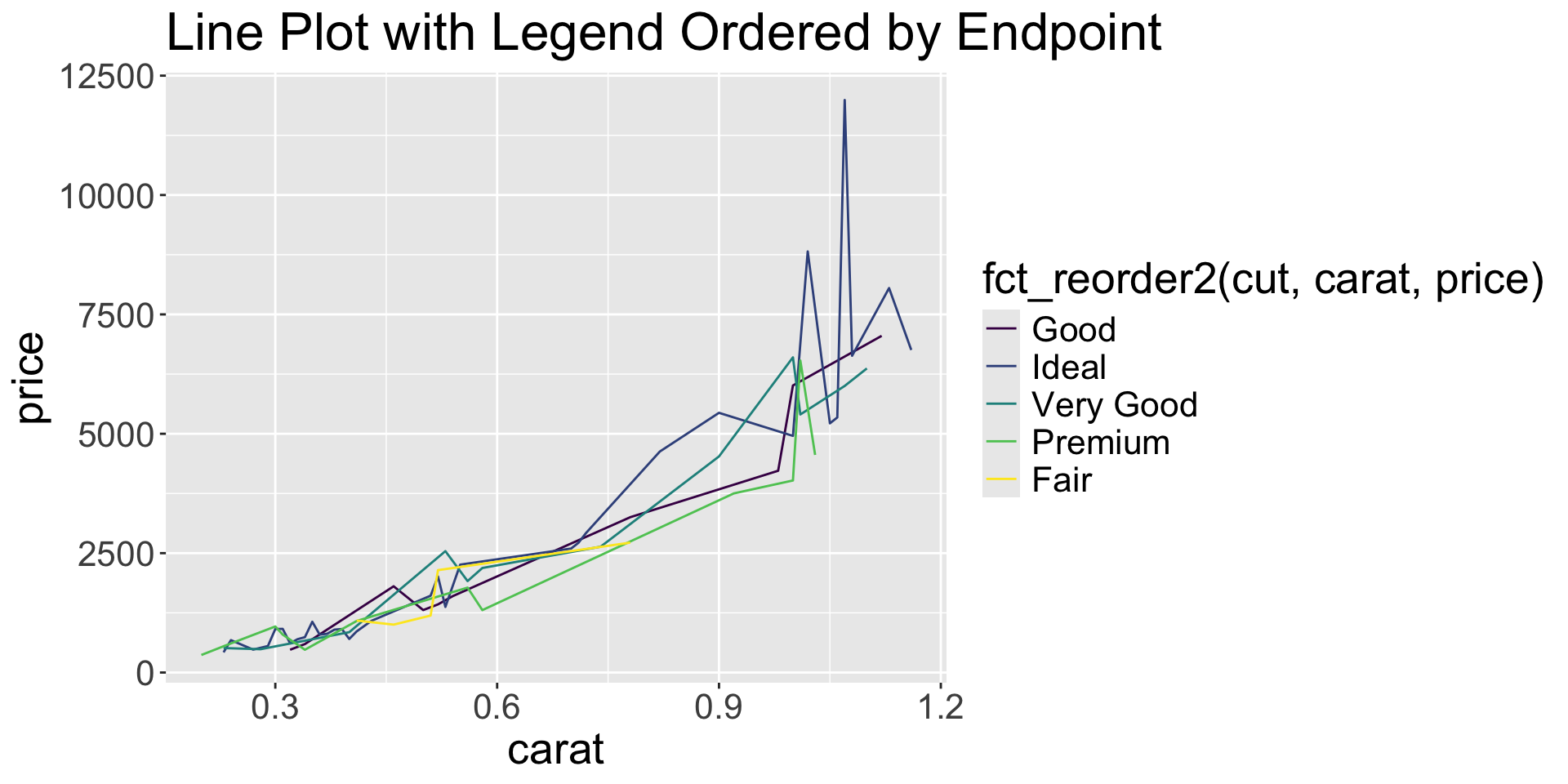
fct_reorder2(f, x, y): Order by relationship with two variables (great for line plots)
Line plot without reorder
fct_recode(): Manually rename specific levels new_name = "old_name"
Create factor with messy level names
fct_collapse(): Combine multiple levels into one new_name = c("old1", "old2")
fct_other(): Lump (non/)specified levels into “Other”
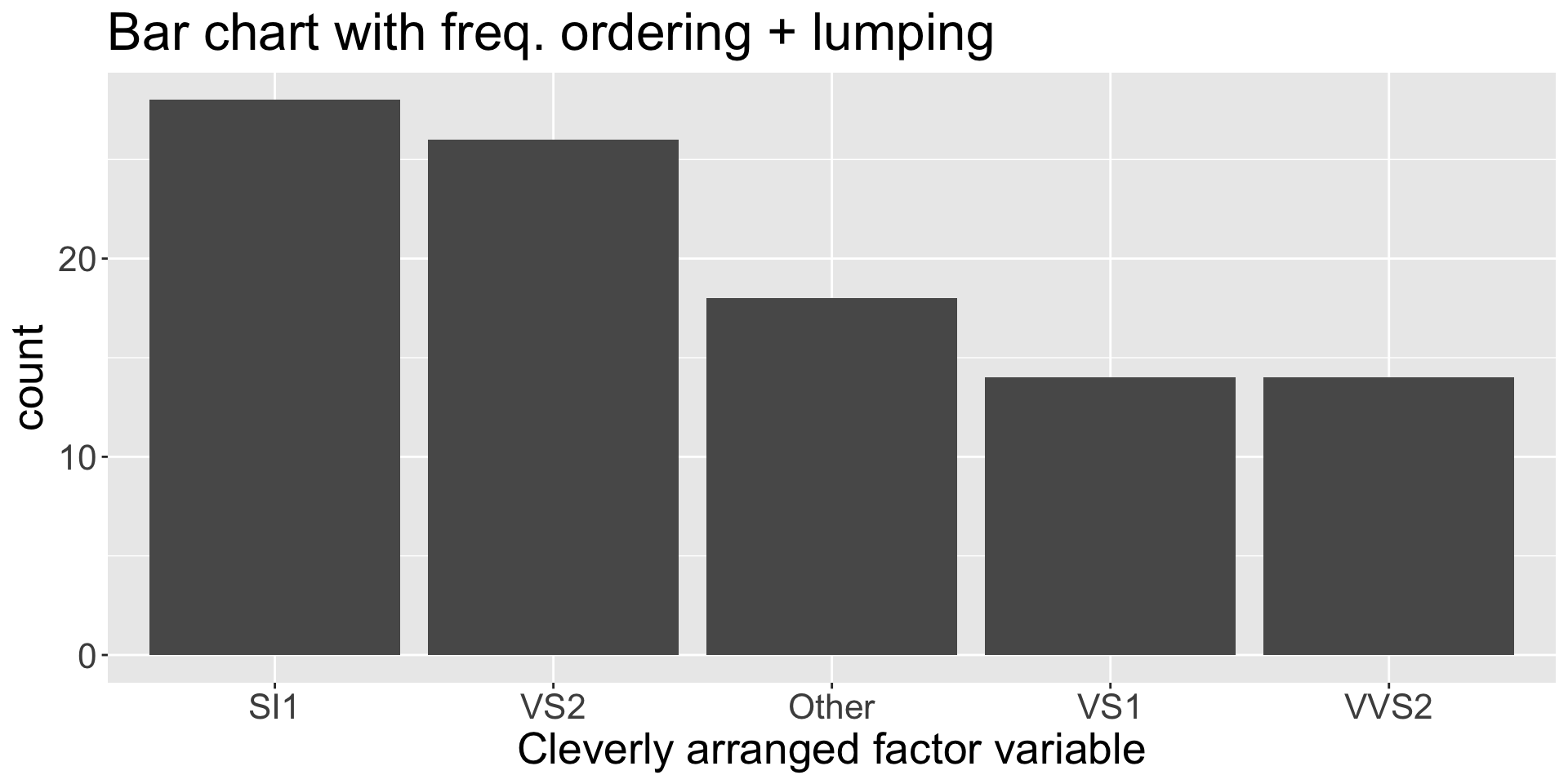
fct_lump_*() family: Keep levels by condition, lump rest into “Other”
fct_lump_n(): keep most frequent N
fct_lump_prop(): keep levels above percent frequency
fct_expand(): Add new levels without observations
fct_drop(): Remove levels with no observations
[1] A B C
Levels: A B C D E
fct_drop use case: tibble filterfct_na_value_to_level(): Convert between NA values and NA levels
forcats functions we didn’t talk about:
as_factor()fct_match(f, lvls): check for levels in ffct_cross(f1, f2): Create interaction factorfct_inseq(): Order by natural sequencefct_shift(): Shift levels L or R, wrapping aroundfct_shuffle(): Randomly permute levelsfct_lump_lowfreq(): Lump low-frequency levelsfct_relabel(): Rename levels with functionfct_anon(): Anonymize to random integersString cleaning → Factor creation
Common workflow:
Messy categorical (string) data with inconsistent entries
Pipeline wth str and factor creation in one step
Make better plots with factor control
fct_infreq, fct_reorder)fct_lump_*)Factor order matters in models! The first level is the reference category. Example: using mtcars data, predict mpg using cyl (number of cylinders) as a factor variable.
Fit regression model with cyl as factor
Call:
lm(formula = mpg ~ factor(cyl), data = mtcars)
Residuals:
Min 1Q Median 3Q Max
-5.2636 -1.8357 0.0286 1.3893 7.2364
Coefficients:
Estimate Std. Error t value Pr(>|t|)
(Intercept) 26.6636 0.9718 27.437 < 2e-16 ***
factor(cyl)6 -6.9208 1.5583 -4.441 0.000119 ***
factor(cyl)8 -11.5636 1.2986 -8.905 8.57e-10 ***
---
Signif. codes: 0 '***' 0.001 '**' 0.01 '*' 0.05 '.' 0.1 ' ' 1
Residual standard error: 3.223 on 29 degrees of freedom
Multiple R-squared: 0.7325, Adjusted R-squared: 0.714
F-statistic: 39.7 on 2 and 29 DF, p-value: 4.979e-09
Use fct_rev() to change reference level
Call:
lm(formula = mpg ~ fct_rev(factor(cyl)), data = mtcars)
Residuals:
Min 1Q Median 3Q Max
-5.2636 -1.8357 0.0286 1.3893 7.2364
Coefficients:
Estimate Std. Error t value Pr(>|t|)
(Intercept) 15.1000 0.8614 17.529 < 2e-16 ***
fct_rev(factor(cyl))6 4.6429 1.4920 3.112 0.00415 **
fct_rev(factor(cyl))4 11.5636 1.2986 8.905 8.57e-10 ***
---
Signif. codes: 0 '***' 0.001 '**' 0.01 '*' 0.05 '.' 0.1 ' ' 1
Residual standard error: 3.223 on 29 degrees of freedom
Multiple R-squared: 0.7325, Adjusted R-squared: 0.714
F-statistic: 39.7 on 2 and 29 DF, p-value: 4.979e-09
D2M-R I | Week 6 & 7