R is a programming language and software environment based on another programming language called S. It is primarily used for data management, analysis, and presentation. R is free to use and open-source, making it both approachable to new learners and flexible for advanced users. R is built on collaboration and transparency, with a large community contributing to the development of the language and tools extending its functionality. The R community also works to make R accessible and functional, with extensive documentation for the language itself and its packages of functions. Beyond documentation, you can find a wealth of user-created resources for learning and using R, including freely available tutorials, videos, workshops, and full courses and textbooks (ahem).
This chapter will introduce you to some of the most critical concepts for programming with R and give you enough basic knowledge to get started writing and running R code without getting bogged down in the weeds of technical details. Some of what you’ll find here is intentionally a bit shortcut-y. We’ll go into more depth on many of these topics in later chapters.
Fair warning: It’s hard to explain data types without referencing data structures, data structures without referencing functions, operators without referencing operators, operators without referencing data types…Just bear with it. Take in what you can on your first pass knowing it’s unlikely to make perfect sense immediately.
R vs. Python
Both R and Python are popular choices for statistical analysis and visualization in research, and the two have a lot in common. They are both free, open-source languages with large communities and extensive libraries of functions. The biggest difference between the two is that R is primarily focused on statistical analysis and visualization, while Python is a general-purpose programming language that can be used for data analysis as well as a range of other applications. Because R is highly specialized, a little code and knowledge go a long way. Although Python is more widely used generally, R tends to be favored in academic and research settings, especially in the social sciences. There’s really no reason not to just learn both, but this class is about R and you’re the one who chose to take it, so that’s what we’re doing.
5.1.0.1 RStudio
We talked about RStudio in ?sec-rstudio, but in case you missed it, here’s some things to know as you get started with R.
R is a programming language; RStudio is an integrated development environment (IDE) for that language. You interact with R via the RStudio software. R exists without RStudio, but not the other way around.
Well, at least in theory. In practice, RStudio is the way to interact with R. It’s a (relatively) user-friendly interface for writing and executing R code that is pretty streamlined to the needs of the R user. Unlike other popular IDEs (e.g., Visual Studio, AWS, Eclipse), RStudio doesn’t need to meet the needs of any programmer who might be doing anything in any language. Consequently, RStudio is the go-to for R users, since it lacks the clutter that comes with general-purpose IDEs.
WYNTKN:
R =/= RStudio…
…but it kinda might as well.
5.1.0.2 Object-oriented programming
R is an object-oriented programming language, which means that it is built around the concept of “objects” that contain data and functions. What’s an object? According to Wikipedia, an object is “an entity that has state, behavior, and identity.” I personally find that definition to be baffling, because like…isn’t that anything?
Well, it kind of is anything. You can think of objects in R as any thing you want to work with in R. If it’s something you’d want to put a label on for some reason, that’s an object. A number or string as a variable to use later? Object. A table with data? Object. The output of a statistical test? Object. A plot? Object.
You get the idea. Basically, every time you open up a new R session, you are the god of a tiny little empty world. If you want to see something happen in your world, you have to create the stuff that does the happening and is happened to and is the happening.1 Want to watch the denizens of your universe put on a play about a magician who eats too much cheese? You have to bring into existence the players, the script, and the stage, but also the concepts of “play,” “magician,” “cheese,” “eating”, and “the amount that is socially and/or biologically too much cheese.”
In R, if you want to see a graph of the relationship between how much cheese an individual eats and whether or not they are a magician, you have to create that world with objects – the environment. The variables “how much cheese” and “is magician?” are objects. The rows, columns, and values that make up a table of data are objects. Those objects are all inside of an object that is the table itself. The calculation of the association between the two variables is an object. The graph that visualizes the relationship is an object. The axis labels on the plot object are objects…
WYNTKN:
R works by doing stuff to stuff.
So “stuff” has to exist.
5.2 R syntax
In natural language, syntax is the system of rules that govern how words are combined to form phrases and sentences in meaningful ways. Sentence makes mixing nothing all words of at the a it something up else or mean.2
Some things are nouns, some are verbs. Some verbs need objects, some don’t. Some words mean more than one thing and require specification or context. Some words connect other words together. Some words don’t serve a lot of functional purpose but make the sentence sound better or easier to understand. Words like pronouns can replace other words, but only after following the rules to let you do that. Some words you can omit entirely by restructuring other parts of the sentence. Some rules will technically communicate a meaning correctly, but are much more understandable if there is non-speech stuff like gestures or facial expressions to help clarify the meaning. Some rules are more flexible than others, and some are more rigid. Some rules are more important than others, and some are more about style than substance.
In a programming language, syntax works similarly. R syntax is the set of rules that govern how you write code in R to make it do what you want it to do. For each example I gave for natural language above, I can think of at least one equivalent situation. Adding in stuff that isn’t necessary to make it easier to read? That’s taking advantage of R being whitespace insensitive. Using gesture to complement ambiguous meaning? That’s using comments. Eliding a subject because it’s implicit or otherwise already understood? That’s skipping optional arguments in functions, or using the pipe operator to pass objects from arguments in one function to arguments in another. You get the picture.
While programming languages are nowhere near as complex and dynamic as natural languages, you can think about programming syntax as using the same kinds of building blocks.
5.2.1 Environments
Your R environment is the collection of objects that exist in your R session at any given time. When you start a new R session, your environment is empty. Creating variables, data structures, functions, plots, and other objects adds them to your environment so you can refer to them later.
Everything in your environment has a unique identifier, the name you give the object. Because identifiers are unique, creating an object with the same name as an existing object will overwrite the existing object with the new one.
You can see the objects in your environment by looking at the Environment pane in RStudio, or by using the ls() function in the R console to list the objects in your environment. Critically, you can only interact with objects that exist in your environment, and environments are not persistent across R sessions. When you close RStudio, your environment is cleared, and you have to recreate any objects you want to use in the next session.
5.2.2 Variables
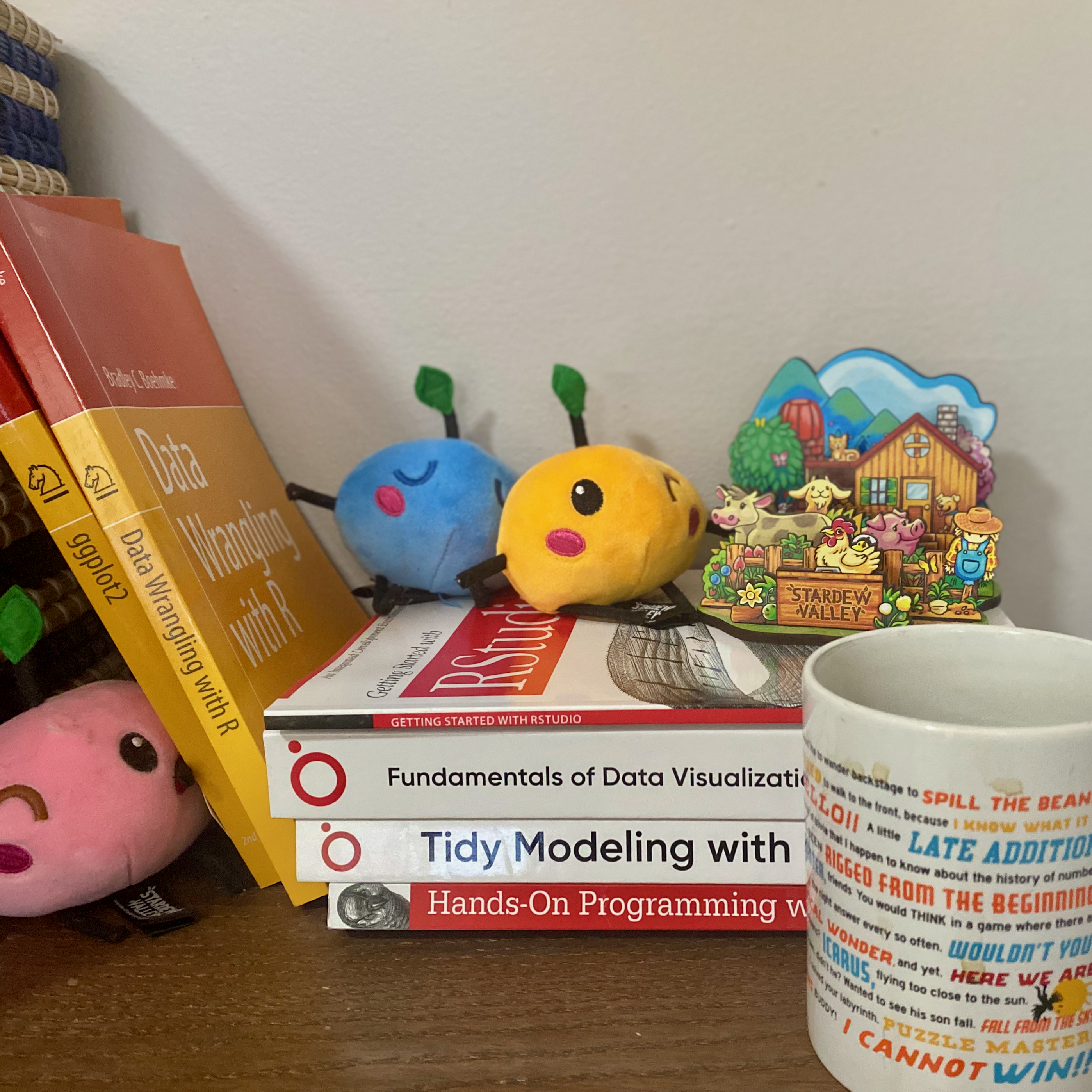
Variables are the nouns of R syntax. The real world is filled with “things,” literal and abstract. Coffee, computer, RStudio, exhaustion, education, Stardew Valley Junimo plushie, the joy of playing Stardew Valley when you should be working… They just kind of exist. I can interact with them directly, but I can’t list out for you the Stardew Valley decor in my office3 unless I name them. The Junimo is a value, and “Junimo” is the variable name I use to refer to that value.
In R we create variables by assigning a value to a name with the assignment operator <-. Technically you can use = to assign a value to a variable, but you really shouldn’t; <-is the preferred assignment operator in R.
Once you have created a variable, you can use it in your code to refer to the value it contains, including assigning other variables.
If variables are nouns, functions are the verbs of R syntax. Functions take stuff and do stuff to it.
You can recognize a function in R as a word(ish thing) followed by (): mean(), filter(), ggplot().
A function is an action itself – working, eating, procrastinating, voting – which exists conceptually on its own just fine. Calculating a mean, filtering to a subset of data, mapping data to a plot – all sensible and understandable on their own, but not necessarily implementable as is.
To employ a function and tell R to do the thing, you will (usually) put one or details inside the parentheses: mean(x), filter(data, condition), ggplot(data = df, aes(x = var1, y = var2)). These are called arguments, and can be values, variables, or even other functions.
When you pass an argument to a function (i.e., you include it in the parentheses), the function does the action to the argument(s) and returns the result.
We’ll talk more about arguments in Section 7.3. Here’s WYNTKN:
Functions take 0 or more arguments.
Arguments can be required or optional.
View all possible arguments in a function’s documentation with ?functionname or ??functionname.
If you pass arguments to a function in the order they are defined in the documentation, you can omit the argument names. Otherwise you start with theargumentname =.
round(3.14159) is the same as round(x = 3.14159), but round(2. 3.14159) is not the same as round(digits = 2, x = 3.14159).
# Load the tidyverse packages to use filter, mutate, str_length, and ggplotlibrary(tidyverse)# String# Create a numeric vector of favorite numbers and calculate the meanfavorite_numbers <-c(11, 37, 42, 101, 202, 1000, 2025, -3)number_words <-c("eleven", "thirty-seven", "forty-two", "one hundred one", "two hundred two", "one thousand", "two thousand twenty-five", "negative three")# Do some simple functions with the vectorsmean(favorite_numbers) # returns 426.875length(number_words) # returns 8# Create a data frame with two columns: number and wordnumbers_df <-data.frame(number = favorite_numbers,word = number_words)# View the first 6 rows of the data framehead(numbers_df)# View the first 3 rows by adding an optional argumenthead(numbers_df, n =3) # returns first 3 rows# Return rows where number is greater than 100filter(numbers_df, number >100) # Add a new column 'length' with the number of characters in 'word'numbers_df <- numbers_df |>mutate(length =str_length(word)) # Plot the relationship between the number and the length of its word representationggplot(numbers_df, aes(x = number, y = length)) +geom_point() +geom_smooth(method ="lm")
At this point it’s not important that you understand everything going on in the code above. Just look at how functions are represented, what arguments can look like, how some arguments are optional, and what the function returns (or doesn’t return) as output.
5.2.3.1 Functions to get started
Now is a good time to play around with R functions to get a feel for how they work. The functions below are a collection of some of the base R functions you’re likely to use often. Try running the examples in your R console to see what they do, then try changing the inputs to see how the output changes.
You can also use the ?functionname command to view the documentation for any function, which will describe what the function does, its arguments, and its return value.
5.2.3.1.1 Generally useful base R functions
Function
Description
Example
Output
c()
Combine values into a vector
c(1, 2, 3)
c(1, 2, 3)
paste()
Concatenate strings together
paste("Hello", "world!")
data.frame()
Create a data frame from vectors
data.frame(x = 1:3, y = c("a", "b", "c"))
A data frame with 3 rows and 2 columns named x and y
class()
Check the data type of an object
class(3.14)
"numeric"
str()
Display the structure of an object
str(mtcars)
A summary of the mtcars data frame
length()
Get the length of a vector
length(c(1, 2, 3, 4, 5))
5
head()
View the first few rows of a data frame or vector
head(mtcars)
The first 6 (default) rows of the mtcars data frame
summary()
Get a summary of a data frame or vector
summary(mtcars)
Summary statistics for each column in the mtcars data frame
5.2.3.1.2 Math & statistics
For the examples below, start with defining a vector of numeric values:
Round a numeric value to a specified number of decimal places
round(67.1988, 2)
67.2
sum()
Calculate the sum of a numeric vector
sum(number_list)
3415
min()
Find the minimum value in a numeric vector
min(number_list)
-3
max()
Find the maximum value in a numeric vector
max(number_list)
2025
mean()
Calculate the mean of a numeric vector
mean(number_list)
426.875
median()
Calculate the median of a numeric vector
median(number_list)
71.5
sd()
Calculate the standard deviation of a numeric vector
sd(number_list)
726.7456693
cor()
Calculate the correlation between two numeric vectors
cor(number_list[1:4], number_list[5:8])
-0.2855236
5.2.4 Data types
Complex and raw data
For our purposes, we don’t need to worry about complex and raw data types. Complex objects use complex (i.e. both real and imaginary \(i\)); raw objects are used to represent literal binary data. It’s unlikely that as a researcher in psychology or other social sciences you will need to use these data types directly, but you can start to learn more about complex numbers in R here and raw data here if you’re interested.
Data you can work with in R takes one of 6 forms: numeric, integer, complex, character, logical, and raw.
Aside from these 6 “base” data types, we commonly talk about a few other kinds of things using the same kind of language we use to talk about data types, including factors, dates, and date-times/POSIX.
Here’s a table summarizing the 4 R base data types we use frequently and the 3 honorary ones:
Data type
Description
Example
Numeric
Decimal numbers, including whole numbers
3.14, 42.0, -1.5
Integer
Whole numbers, represented with an L suffix
42L, -1L, 1000L
Logical
Boolean values, either TRUE or FALSE
TRUE, FALSE, x > 5
Character
Text strings, enclosed in quotes
"hello", '123', "R is great!"
Factor
Leveled categorical data, stored as integers with labels
factor(c("low", "medium", "high"))
Date
Dates, stored as a special class of object
as.Date("2025-01-31")
POSIXct
Date-time objects, which include both date and time
as.POSIXct("1776-07-04 12:01:59")
You can check the data type of an object using the class() function, which will return the class of the object. Try using class() on the examples above to see what it returns, like:
Notice that for our 3 honorary data types we didn’t just pass it a value, we passed it a function that turned a value into the type we wanted.
When you run class() and it returns something, it’s creating a data object which has to have a type itself. See if you can figure out what kind of data is being returned with class() by using class()4
5.2.4.1 Numeric
Numeric variables are, unsurprisingly, numbers. Basically any number that you can treat like a number. If you added 0 to it, would it equal itself? If so, it’s numeric. (As opposed to a string that looks like a number, like "100". Can’t add 0 to that. If you had to find a way to force it, it would probably be something like concatenation: "1000".)
Create a numeric variable by assigning a number made up of digits, decimals, and/or negative signs to a variable name:
my_number <-3.14my_other_number <--42
5.2.4.2 Integer
The integer variable is a subset of numeric variables. A number that does not have a decimal point is an integer. Integers are whole numbers (1, 5, 100000), negative whole numbers (-1, -5, -100000), and zero (0).
Pick your favorite number without a decimal point, and assign it to a variable name, then run class() on that variable to see its data type:
lucky <-11class(lucky) # ???integer???
Running class on something that looks like an integer will return numeric, not integer. Remember that integers are a subset of numeric variables, so R is taking a better-safe-than-sorry approach and assuming you want the more generic, broad-scope version of what you gave it.
If you want to specify a variable as an integer, you can do so by adding an L suffix to the number when you assign it to a variable:
luckier <-11Lclass(luckier) # "integer"!
You can also convert an existing numeric value to an integer with as.integer():
You can use as.integer() on non-integer numeric values. The result will be everything before the decimal point, effectively rounding down to the nearest whole number:
my_decimal <-4.2# numeric typeanother_integer <-as.integer(my_decimal) # 4 - integer type
Specifying data as integer with L or converting it with as.integer() typically isn’t necessary, but it can be useful when you need to ensure that a value is treated as an integer, like as an argument of a function that only accepts integers.
The flip of the integer is a double variable, which is the default numeric type in R. It just means the number can have a decimal point, whether or not it’s visually represented. Since numeric values are double by default, you won’t see class() return “double”, you just mentally note that that’s what you’ve got.
5.2.4.3 Character
Character variables are “strings” of text, which can include letters, numbers, punctuation, and other symbols. You’ll hear a few different terms that all functionally mean the same thing, including “character”, “string”, “character vector”, and “text”.
A character is the smallest element that can be represented in text. Individual letters like “d” or “R”, digits like “2”, and symbols like “-”. R is case sensitive, so “d” and “D” are different characters.
Think of a string as the actual sequence of characters strung together. d2m-R is a string of 5 characters: d, 2, m, -, and R.
A character vector is a collection of one or multiple strings. The string d2m-R is a list of 1 sequence of (5) characters.
This gets confusing, but in practice this doesn’t matter much. Text is a more general term without a specific technical definition in R, often used to talk about strings and character data.
You’ll often hear “text,” “string,” and “character” used interchangeably. You just need to know that “character” is the technical term for the data type in R and “string” is the sequence of text that your human brain is processing as a single meaningful unit.
We create a character variable by assigning a string of text to a variable name, using either single or double quotes to enclose the text:
Why the option to use either single or double quotes? Try running these two lines of code:
no_single_quotes <-"This string doesn't use single quotes."no_double_quotes <-'This string doesn't use double quotes.'
The second line will throw an “unexpected symbol” error. R saw you start a string with ', looked for another ' to end the string, and treated everything between them as the string. When it got to the “t” in “doesn’t”, R no longer thought you were trying to define a string, and it didn’t know what do with the input t use double quotes.'
Generally I recommend using double quotes for strings, since it avoids the need to escape single quotes in contractions and possessives. Use single quotes in the rare cases you need to include double quotes in a string.
In ?sec-stringr, we’ll cover how to include single quotes in single quoted strings (and double in double) if needed by escaping the quote character with a \. In that chapter we’ll talk a lot more about working with strings in R, including how to manipulate and analyze text data using the tidyverse stringr package, your go-to for working with strings in R.
5.2.4.4 Logical
Logical variables are Boolean values, meaning they can only take on one of two possible values: TRUE or FALSE.
In R, logical values are written in all caps, either the whole word or the first letter:
is_true <-TRUEis_false <-FALSEalso_true <- Talso_false <- Fnot_logical <- true # Error: object 't' not foundalso_not_logical <- f # Error: object 'f' not found
Logical variables are usually the result of comparison operations, which evaluate to either TRUE or FALSE:
In practice, you’ll usually use logical variables in the context of conditional statements and loops. More on those in Section 7.4.
You may also encounter logical variables directly in your data (e.g., survey data where respondents answer yes/no questions) or need to wrangle categorical data into logical variables.
5.2.4.5 Factor
Factors variables represent discrete groups or levels. This is the word R uses for what you may prefer to call categorical, nominal, ordinal, or discrete variables (among others).
Factor variables may not be immediately distinguishable from character variables when you look over your data, but they function very differently.
A character variable is a string of text, and all strings are treated as unique values – even if they are identical. While R can compare two strings and determine whether they are identical:
it can’t know whether strings are meaningfully identical.
Converting a character variable – or any variable with discrete values – to a factor variable tells R that the values represent meaningful groups or levels. Each unique string it detects is treated as a level of the factor variable.
You’ve got a survey about college students’ names, their breed of pet, and overall happiness on a 4-point scale (1 = horribly depressed, 2 = mostly numb, 3 = pretty ok, 4 = weirdly great):
     name pet_breed happiness
1   David       dog         3
2     Eve      none         4
3   Jamal       dog         2
4   Alice      bird         1
5  Fatima       cat         3
6   Grace       dog         4
7   Alice       cat         2
8   Heidi      none         3
9     Bob      fish         1
10 Carlos       cat         4
11   Ivan      none         1
12  Grace   ignuana         4
If you run class() on each of the columns, you’ll see that name and pet_breed are character variables, while happiness is numeric:
It makes sense that name is a character variable, since names are unique strings of text. Even if a couple are repeated, that’s just coincidence. We don’t care about an effect of “name.”
The pet_breed character variable would be more appropriately handled as a factor variable, since the values represent discrete groups. David, Jamal, and Grace all have dogs – we need to be able to treat all cases of dog the same way to do anything with that information.
The way it’s being handled right now just isn’t helpful, which you can see easily by summarizing the data:
summary(survey_data)
     name            pet_breed           happiness
 Length:12          Length:12          Min.   :1.000
 Class :character   Class :character   1st Qu.:1.750
 Mode  :character   Mode  :character   Median :3.000
                                       Mean   :2.667
                                       3rd Qu.:4.000
                                       Max.   :4.000
We can’t learn anything about patterns with pet breed here. It needs to be a factor variable.
There are two big base functions you need working with factors; You can convert a character variable to a factor variable with factor() and look at the levels of the factor with levels():
Now summarizing the data immediately gives us some quick, useful information about the distribution of pet breeds in our sample:
summary(factored_data)
     name             pet_breed   happiness
 Length:12          bird   :1   Min.   :1.000
 Class :character   cat    :3   1st Qu.:1.750
 Mode  :character   dog    :3   Median :3.000
                    fish   :1   Mean   :2.667
                    ignuana:1   3rd Qu.:4.000
                    none   :3   Max.   :4.000
Pet breed is an unordered factor. There is no objective way to rank them. You can’t mathematically say that a dog is “more” or “less” than a cat, however passionately you may feel one way or the other.
The happiness variable is numeric, representing a 4-point scale of overall happiness. If this was truly a numeric, continuous variable, what would it mean to have a happiness level of 2.334? Somewhere between mostly numb and pretty ok, but with no meaningful precision.
This is actually an ordered factor (or ordinal variable), meaning that the values represent a meaningful order or ranking, but the intervals between the values are not necessarily equal or divisible. We can convert this numeric-looking variable to a factor the same way we did with the string-looking variable, using factor(), but we need to add an argument to specify that the levels are ordered:
# convert happiness to an ordered factor variablefactored_data$happiness <-factor(factored_data$happiness, levels =c(1, 2, 3, 4), # r can usually figure this out on its own, but it doesn't hurtordered =TRUE)# check the class and levels of the new ordered factor variableclass(factored_data$happiness) # "ordered" "factor"
[1] "ordered" "factor"
levels(factored_data$happiness) # "1" "2" "3" "4"
[1] "1" "2" "3" "4"
At this point, you could decide that it’s more useful to have the levels labeled with their meanings instead of numbers. Good old factor() can do that too, with the labels argument:
# convert happiness to an ordered factor variable with labelsfactored_data$happiness_label <-factor(factored_data$happiness, levels =c(1, 2, 3, 4), labels =c("horribly depressed", "mostly numb", "pretty ok", "weirdly great"),ordered =TRUE)# check the class and levels of the new ordered factor variable with labelsclass(factored_data$happiness_label) # "ordered" "factor"
Now we can see that name is a character vector with at least 4 distinct values, pet_breed is a factor with 6 levels, happiness is an ordered factor with 4 levels, and happiness_label is an ordered factor with 4 labeled levels. Some important points to note here:
The factor variables are actually stored as integers under the hood. The three factor variables, but not the name character variable, include a list of the integer values that correspond to each level of the factor. This is the case for the numeric-looking happiness variable too. “1” isn’t 1, but it is mapped to 1.
The values of both the name and pet_breed variables are presented in alphabetical order, but only the pet_breed variable is a factor with its values (levels) stored as integers.
Beyond just being called “Ord.factor” instead of “Factor,” the levels of the ordered factors are in the order we specified, not alphabetical order, made possible by the stored-as-integer thing. They’re not just listed that way, they actually appear with the comparison operators. According to R, not only is “1” < “2”5, “horribly depressed” is objectively less than “mostly numb,” which is less than “pretty ok,” which is less than “weirdly great.”
The string-looking happiness_label variable no longer has its original level names (“1”, “2”, “3”, “4”). Unlike in some other programming languages (e.g., Stata), renaming the levels of a factor variable in R replaces the original names instead of adding new ones. Check out the documentation for ?factor to see how the levels and labels arguments work together.
As complicated as this has already gotten, we’ll get into even more depth about working with factor variables in ?sec-forcats using the forcats package.
5.2.4.6 Dates & Date-Times
Dates and date-times are special data types in R used to represent points in time. Dates represent calendar dates (year, month, day) without a specific time of day, while date-times – as you might expect – include both the date and the time (hours, minutes, seconds). Date-times are also called POSIX objects in R.
You can create date and date-time objects using the as.Date() and as.POSIXct() functions, respectively. These values are stored as numeric values representing the number of days (for dates) or seconds (for date-times) since a reference date (January 1, 1970).
You can perform various operations on date and date-time objects, such as calculating the difference between two dates, extracting specific components (like year or month), and formatting them for display.
# Calculate the difference between two datesyour_date <-as.Date("1991-04-10")your_date - my_date # Time difference of 1037 days
Time difference of 1037 days
my_date - your_date # Time difference of -1037 days
Time difference of -1037 days
your_datetime <-as.POSIXct("2016-03-18 21:59:00")your_datetime - my_datetime # Time difference of -16.51667 hours
Time difference of -16.51667 hours
my_datetime - your_datetime # Time difference of 16.51667 hours
Time difference of 16.51667 hours
# You can extract the numeric component, but it won't give you the unitsas.numeric(my_datetime - your_datetime) # 16.51667 ?? Hours? days? seconds? years?
[1] 16.51667
close_datetime <-as.POSIXct("2016-03-19 14:31:20")my_datetime - close_datetime # Time difference of -1.333333 mins
It shouldn’t be hard to wrap your head around what dates and times are, but they can be surprisingly obnoxious to work with. Daylight savings, time zones, leap years, regional formatting for dates, 12 vs 24 hour clocks…things get complicated fast. Thankfully there are dedicated packages to make working with dates and times easier, including chron, hms, and the tidyverse’s lubridate, which we’ll cover in ?sec-lubridate.
5.2.4.7 Missing data (NA)
In R, missing data points are represented by the special value NA, which stands for “Not Available.” Missing data is not actually a data type, but this is as good a spot as any to mention it.
You can assign NA to any variable, regardless of its data type:
missing_numeric <-NAmissing_character <-NAmissing_logical <-NA# etc.
That means that NA can be part of data structures that can only contain a single data type, like vectors and matrices:
NULL, which is a special object representing any undefined or non-existent value
Anything that other programming languages use to represent missing data other than NA6:
Python: None
SQL: NULL
Stata: .
SPSS: nothing/blank
Excel: nothing/blank or #N/A
MATLAB: NaN
There’s also NaN (Not a Number), which is a special numeric value representing undefined numeric values (like dividing by 0). R will handle NA and NaN similarly in many contexts, but they’re not equivalent.
You can check whether a value is NA using the is.na() function, which returns a logical value (TRUE or FALSE):
is.na(missing_numeric) # TRUEis.na(missing_character) # TRUEis.na(missing_logical) # TRUEis.na(NA) # TRUEis.na("NA") # FALSEis.na("") # FALSEis.na(NaN) # TRUE -- don't think too much about it...is.na(NULL) # logical(0)
When you read in any new data, check that missing data is represented as NA and not something else. R will often, but not always, automatically convert other representations of missing data to NA when importing data. It’s particularly unreliable when the data being read in has anything non-tabular squashed into a tabular format, like comments, titles, and metadata.
If you have missing data represented in a different way, you can convert it to NA using functions like na_if() from the dplyr package or replace() from base R.
5.2.5 Operators
Operators are symbols that tell R to perform specific operations on one or more values or variables. These are usually separated into 3 categories: arithmetic, comparison, and logical. There are also a handful of others I’m lumping together for simplicity.
5.2.5.1 Arithmetic
Arithmetic operators are exactly what you think they are: they do math. Most or all of these should look very familiar, since they are either similar or identical to the basic math operators you learned in math class.
Operator
Description
Example
Output
+
Addition
3 + 5
8
-
Subtraction
10 - 4
*
Multiplication
6 * 7
42
/
Division
20 / 4
5
^
Exponentiation (power)
2 ^ 3
8
%%
Modulo (remainder of division)
10 %% 3
1
The one operator from this group that might not be familiar is modulo (aka modulus or just “mod”). The result of the modulo operation is just the remainder left over after dividing one number by another.
5.2.5.2 Comparison
Comparison or relational operators compare two values or variables and return a logical value (TRUE or FALSE) based on the result of the comparison. These should also be familiar from math class.
Operator
Description
Example
Output
==
Equal to
5 == 5
TRUE
!=
Not equal to
5 != 3
TRUE
>
Greater than
7 > 4
TRUE
<
Less than
3 < 8
TRUE
>=
Greater than or equal to
6 >= 6
TRUE
<=
Less than or equal to
2 <= 5
TRUE
Two quick things to point out with these:
The equal sign is ==, not =. A single equal sign is an assignment operator, similar to <-. More on that below.
The not equal sign is !=, which is usually represented with “=/=” or “≠” outside of programming.
5.2.5.3 Logical
Logical operators combine or modify logical values (TRUE or FALSE). There are 3 other logical operators:
Operator
Description
Example
Output
&
“and”: both sides of the operators evaluate to TRUE
TRUE & FALSE
FALSE
|
“or”: at least one side of the operator evaluates to TRUE
TRUE | FALSE
TRUE
!
“not”: the opposite of something’s logical evaluation
!TRUE
FALSE
It helps to think of the ! as the word “not”: != is “not equal to”. !TRUE is FALSE. is.na(x) means “is x missing?” (true or false), and !is.na(x) means “is x not missing?” (true or false, the opposite of is.na(x)).
The & and | operators come in two flavors: single or (& and |) and double (&& and ||). The oversimplified difference is that single operators work element-wise on vectors, while double operators “short-circuit” and only evaluate the first element of each vector work correctly with scalars. The behavior of short-circuit operators in R has changed, leaving much of the documentation and support resources out of date. Confusing at best and often just flat out incorrect. Dig into this difference if you want or need to, but for most purposes, you can just use the single operators (& and |).7 Be sure to look at resources for R 4.3.0 or later.
5.2.5.4 “Special” and miscellaneous
Operator
Description
Example
Output
<- or =
Assignment operator
x <- 5 or x = 5
Assigns the value 5 to the variable x
:
Create a sequence of integers
1:5
c(1, 2, 3, 4, 5)
[ ]
Subset elements of a vector, list, or data frame by position or name
list(first = 1, second = 2)[2]
> $second > [1] 2
[[ ]]
Extract a single element from a list by position or name
list(first = 1, second = 2)[[2]]
2
$
Extract a single element from a list or data frame by name
list(first = 1, second = 2)$second
2
|> or %>%
Pipe operator to pass the output of one function as the input to another
data |> filter(condition)
Passes data as the first argument to filter()
We’ll talk more about assignment and indexing in ?sec-r-programming. WYNTKN:
<- takes a value on the right and assigns it to a variable name on the left. Don’t use = for assignment outside of functions.
whatever[x,y] gets you the value in the xth row and yth column of a data frame or matrix. whatever[x] gets you the xth element of a vector or list.
5.2.5.5 Infix
Infix functions are not operators. They are functions that take commonly used functions and allow you to use a special syntax to call them. Typically, you call a function by the name and a list of arguments contained in parentheses: funcname(arg1, arg2, ...). Infix functions let you call a function by placing the function name between the arguments, like arg1 funcname arg2, the same way that operators work.
You can recognize these by the percent signs (%) surrounding the “operator” name. Most shortcuts like this are not part of base R, and some packages will have versions of these shortcuts that overlap or conflict with each other, so be very careful to stay aware of where each one is coming from.
Here are just a few examples:
“Operator”
Description
Example
Output
Package(s)
%in%
Check if elements of one vector are present in another vector
3 %in% c(1, 2, 3, 4, 5)
TRUE
base R
%like%
Check if elements of one character vector are present in another character vector using pattern matching (similar to SQL LIKE)
"cat" %like% c("cat", "dog", "fish")
TRUE
data.table
%>%
Pipe operator to pass the output of one function as the input to another
data %>% filter(condition)
Passes data as the first argument to filter()
magrittr, dplyr, tidyverse
%<>%
Compound assignment pipe operator that updates the left-hand side with the result of the right-hand side operation
data %<>% filter(condition)
Updates data with the result of filter(data, condition)
magrittr
Again, these are functions, not operators. Learn more about infix functions here.
5.2.6 Comments
Comments are segments of text ignored by R when it runs your code. The pound sign # tells R to ignore anything that follows on the same line.
Use comments often to add plain-English, collaborator-friendly explanations for what your code does. You can temporarily comment out code if 1) you think you may delete it later or 2) there will be some cases where you want R to ignore the code (leave commented) but other times you want it to run (uncomment).
Add long comments by starting the line with 1 or more #. For blocks of comments that span multiple lines, start every line with a #.
Put a # before code to temporarily “comment it out.” This code will be ignored by R until you remove the #.
Comments can begin in the middle of a line. R will run everything before the # and ignore everything that follows.
5.3 R data structures
5.3.1 Vectors
multiple scalar objects (values) stored in a particular order; values can be any data type including NA
5.3.2 Lists
5.3.3 Matrices
multiple vector objects of a single data type stored in a particular order; combine vectors as columns (cbind()) or rows (rbind()), or distribute a vector across named rows and columns (matrix())
5.3.4 Data frames
Data frames are lists of equal-length vectors: data.frame() The heart <3 of R Vectors can use different data types Values within each vector (column) are the same data type Technically a list, but takes a tabular format (like a matrix) Tibbles are simplified data frames: tibble() Used in the tidyverse (more later) For our (and most) purposes, can be treated interchangeably with data frames
5.3.5 Tibbles
5.4 Learn More
I study language. I’m allowed to talk nonsense like this.↩︎
Mixing up the words of a sentence makes it mean something else or nothing at all.↩︎
And I assure you, it’s a lot more than a single Junimo plush.↩︎
If you run class(class(3.14)), it will return "character".↩︎
As intuitive as it may seem, this needn’t be the case, since "1" is not the same as the integer 1.↩︎
I have primarily used R for many years and am relying on secondary sources for some of this info. If you have experience with other languages and see any errors here, please let me know!↩︎
I’m pretty sure that in my years of using R, I have never needed to explicitly use the double and/or.↩︎
5.2.6 Comments
Comments are segments of text ignored by R when it runs your code. The pound sign
#tells R to ignore anything that follows on the same line.Use comments often to add plain-English, collaborator-friendly explanations for what your code does. You can temporarily comment out code if 1) you think you may delete it later or 2) there will be some cases where you want R to ignore the code (leave commented) but other times you want it to run (uncomment).
Add long comments by starting the line with 1 or more #. For blocks of comments that span multiple lines, start every line with a #.
Put a # before code to temporarily “comment it out.” This code will be ignored by R until you remove the #.
Comments can begin in the middle of a line. R will run everything before the # and ignore everything that follows.